Last updated: October 17, 2026
To stop emails going to spam, fix three things in this order. First, prove your domain's identity with SPF, DKIM and DMARC records. Second, send only to people who expect your email, and give every marketing message a working unsubscribe, including one-click unsubscribe in the header. Third, keep your list clean and your complaint rate low, and raise volume gradually. Gmail, Outlook and Yahoo now require these from senders who send thousands of messages a day, and they junk or reject mail that doesn't comply.
I run first-contact and follow-up email flows every month. This guide walks through the technical settings, consent rules and sending habits I check before anything goes out.
In short:
- Identity first. Don't start sending at volume until SPF, DKIM and DMARC are in place; the big mailbox providers now require them.
- Then permission. Mail people who expect it, identify yourself, and honor opt-outs promptly; the US CAN-SPAM Act makes no exception for business-to-business email.
- Unsubscribe that works. Gmail and Yahoo want one-click unsubscribe on marketing mail and requests honored within about two days.
- Sends aren't success. Track delivery, bounces, complaints, unsubscribes and replies separately.
Why are my emails going to spam? Three reasons
Almost every case of email landing in spam comes down to one of three reasons. The order matters: fixing the second and third without the first rarely works.
- Your identity isn't verified. If the receiving server can't confirm the message really comes from your domain, it won't trust it. With missing or broken SPF, DKIM and DMARC, even a well-written email lands in spam.
- The recipient didn't want it. People who don't expect your email click "Report spam." As your complaint rate rises, everything else you send from that domain struggles to reach the inbox.
- List and sending habits. Invalid addresses, thousands of messages on day one from a new domain, a broken unsubscribe link and misleading subject lines. These are the signals providers watch in bulk-sender behavior.
What are SPF, DKIM and DMARC, and how do you check them?
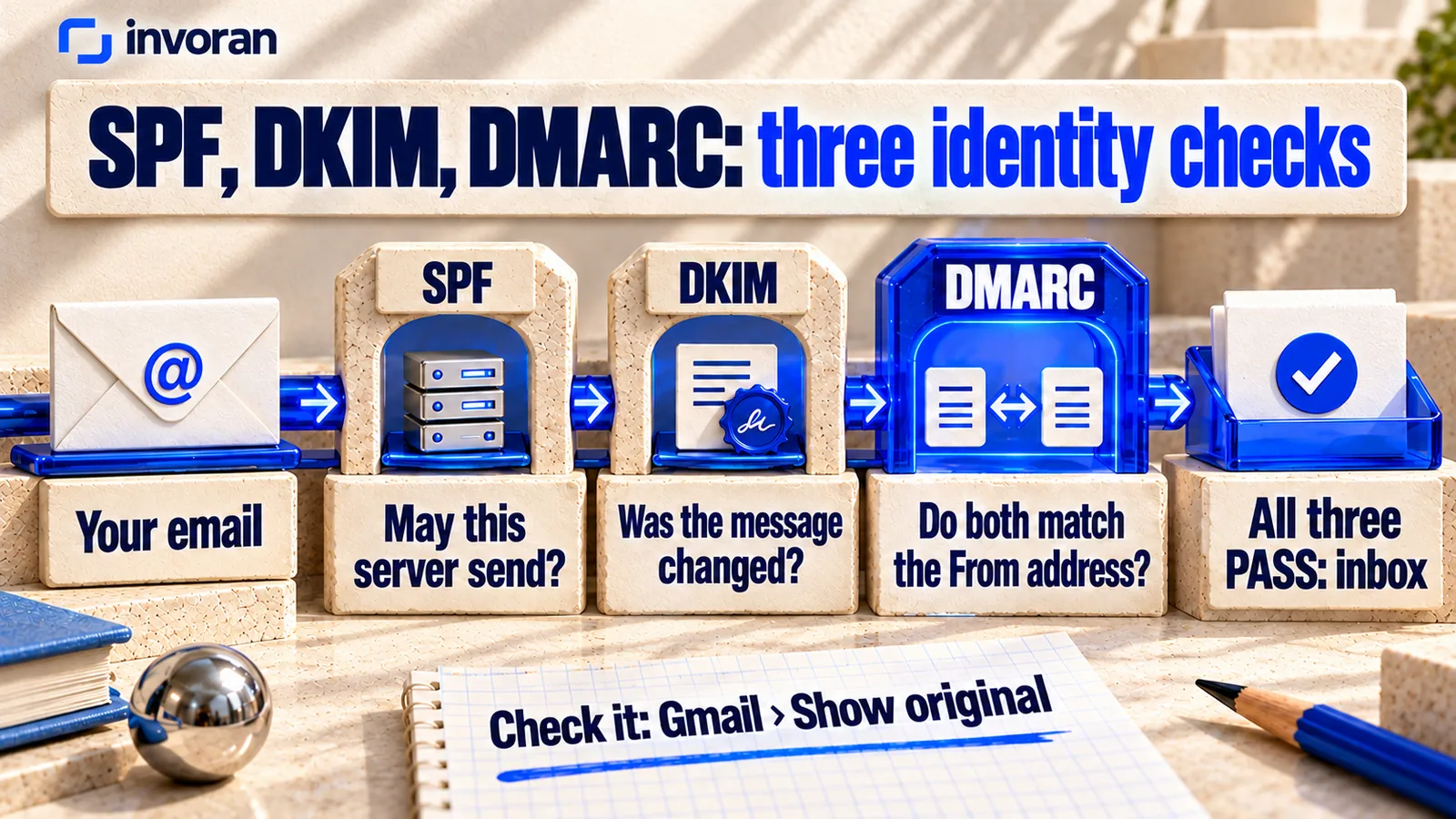
All three are records added to your domain's DNS settings. Together they tell receiving servers that a message genuinely comes from your domain.
| Record | What it does | What happens without it |
|---|---|---|
| SPF | Lists the servers allowed to send on behalf of your domain | Your sending tool doesn't look authorized |
| DKIM | Adds a digital signature that proves the message wasn't altered in transit | The message's integrity can't be verified |
| DMARC | Requires SPF or DKIM to align with the domain in the From address, and tells receivers what to do with mail that fails | You don't meet the major providers' bulk-sender requirements |
The quickest check: send a test message from your domain to a Gmail address, open it, choose "Show original" and confirm that SPF, DKIM and DMARC all show "PASS." If you use a sending tool, confirm during setup that it signs your messages with DKIM using your own domain.
The 2026 sender rules: Gmail, Outlook and Yahoo
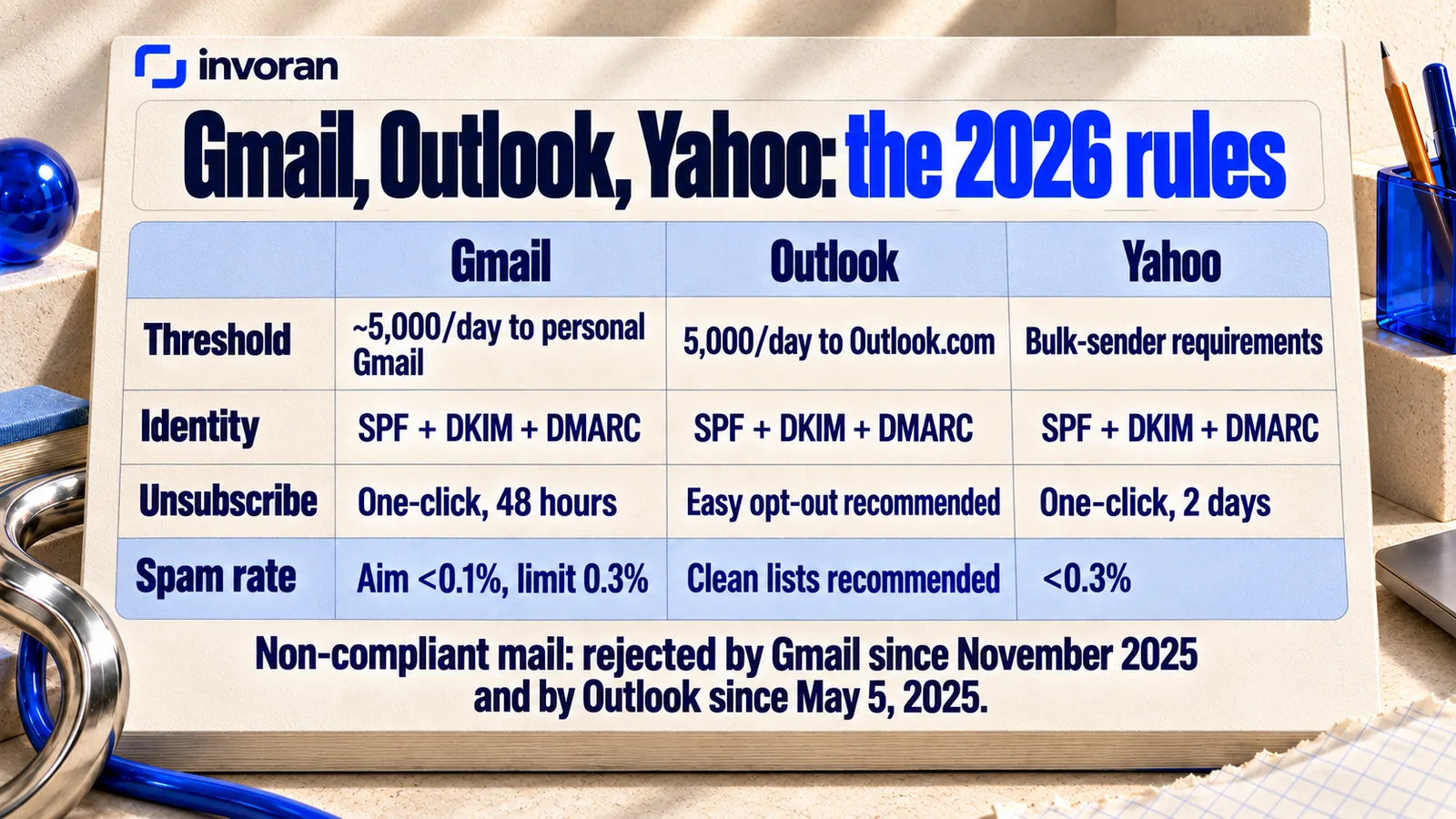
The three big providers' rules are close to identical. The table below summarizes what each one states on its own pages:
| Gmail | Outlook | Yahoo | |
|---|---|---|---|
| Who counts as a bulk sender | Close to 5,000 or more messages to personal Gmail accounts in 24 hours; once you cross it, the status is permanent | 5,000 or more messages a day to Outlook.com, Hotmail and Live addresses | Separate requirements for bulk senders |
| Authentication | Both SPF and DKIM | SPF and DKIM must pass | Both SPF and DKIM |
| DMARC | Required; at least p=none, aligned with SPF or DKIM | At least p=none, aligned with SPF or DKIM | At least p=none, and DMARC must pass |
| Unsubscribe | One-click unsubscribe on marketing mail; honor requests within 48 hours | A clear, easy-to-find unsubscribe is recommended | One-click unsubscribe on marketing mail; honor within 2 days |
| Spam rate | Stay below 0.1%; never reach 0.3% | Clean lists and accurate subject lines recommended | Below 0.3% |
| What happens to non-compliant mail | From November 2025, temporary or permanent rejections and spam foldering | Since May 5, 2025, rejected rather than delivered | Not specified separately; the requirements apply for delivery |
Two details are easy to miss. First, Gmail says an unsubscribe link in the body doesn't satisfy its one-click requirement on its own; it has to be declared in the email header (List-Unsubscribe). Second, Gmail's bulk-sender rules cover mail to personal Gmail accounts, not mail to Google Workspace business accounts. Following the same discipline for B2B email still makes delivery easier.
You can monitor your Gmail spam rate and compliance status in Google Postmaster Tools, which now includes a compliance status dashboard.
Consent and the law: what CAN-SPAM requires
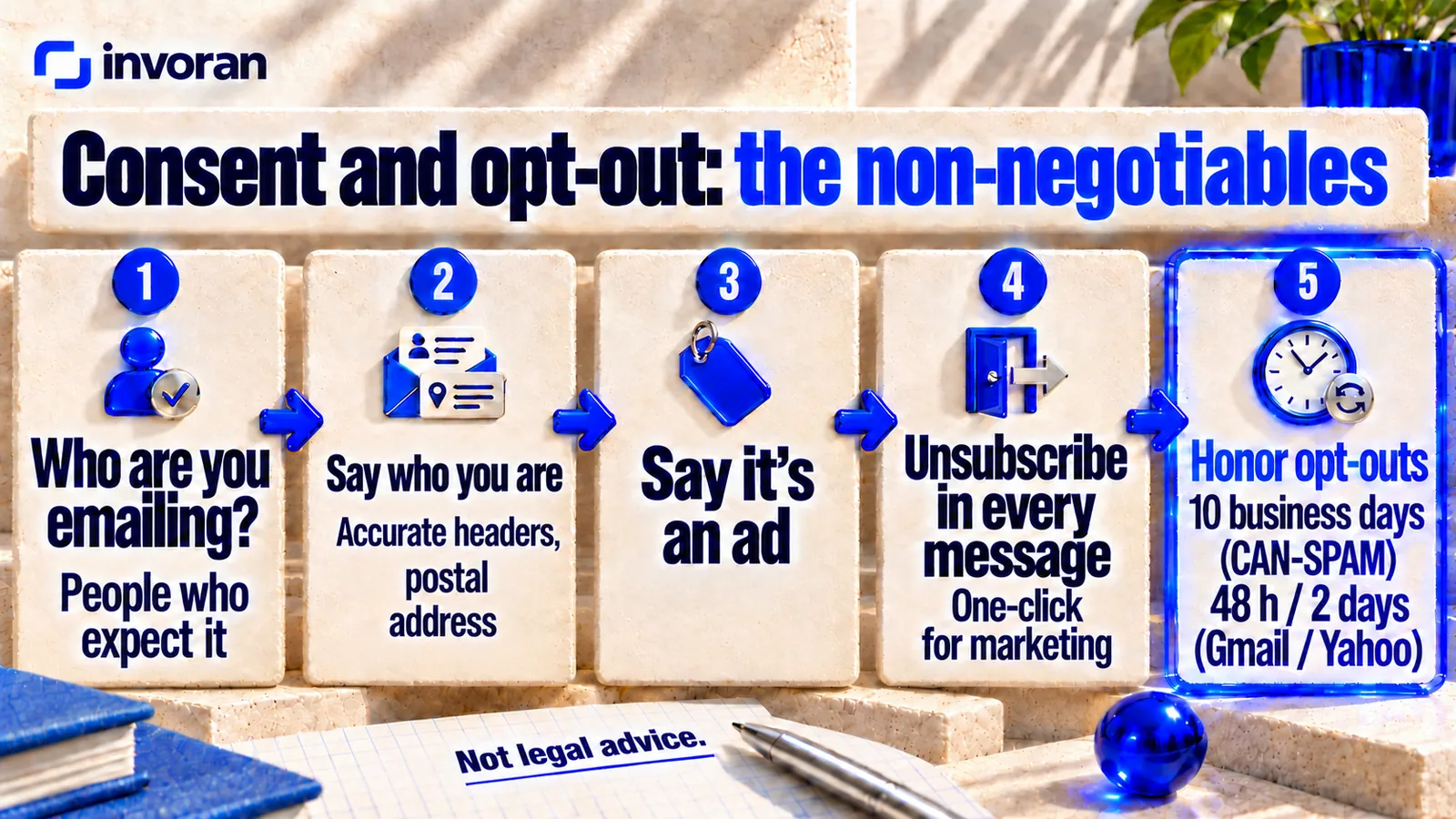
In the United States, commercial email falls under the CAN-SPAM Act. The FTC's compliance guide lists the core requirements:
- Accurate headers and honest subject lines. "From," "To," "Reply-To" and routing information must identify you, and the subject line must reflect the content.
- Say it's an ad. Commercial messages must clearly disclose that they're advertising.
- Include a valid physical postal address.
- Offer a clear way to opt out, including an option to stop all marketing messages, and honor opt-outs within 10 business days.
- You're responsible for what others send for you. You can't contract the obligation away.
The FTC notes that the law makes no exception for business-to-business email, and each separate violating email can carry a civil penalty of up to $53,088. If you email people in other countries, local consent rules may be stricter than CAN-SPAM; in Türkiye, for example, commercial email is governed by Law No. 6563 and the IYS consent registry, which I cover in my Turkish guide to bulk email.
How to stop emails going to spam: seven steps
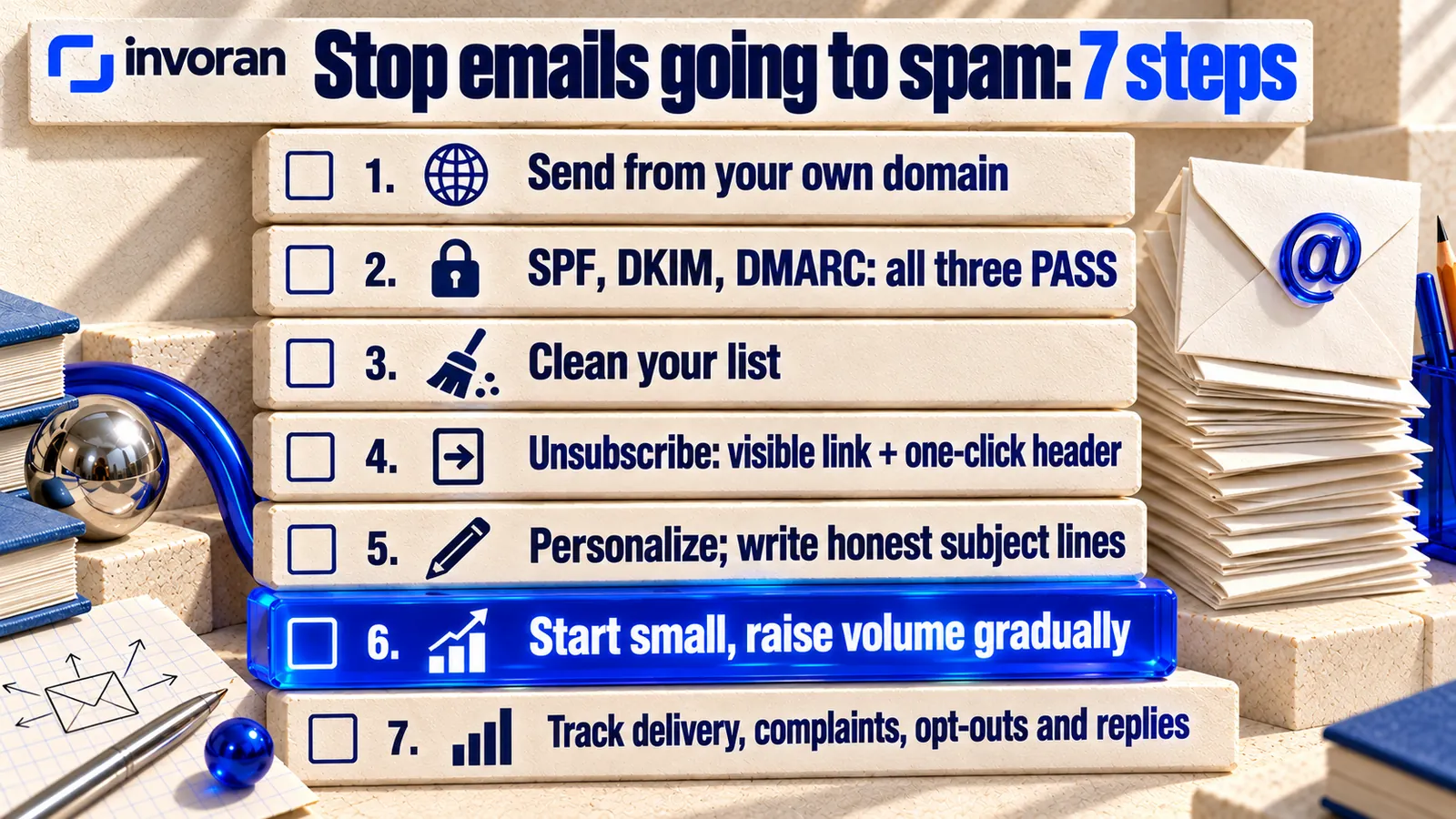
- Send from your own domain. Use your company domain, not a free mailbox. A separate subdomain for marketing mail helps protect your main domain's reputation.
- Set up and test SPF, DKIM and DMARC. Confirm your sending tool signs with your domain and that a test message passes all three.
- Clean your list. Know where every address came from and on what basis. Remove invalid and bouncing addresses; don't start with a purchased list.
- Build the opt-out path. A visible unsubscribe link in every message, plus one-click unsubscribe in the header for marketing mail. Put the honoring deadline on a calendar.
- Personalize, and write honest subject lines. Make it clear in the first two sentences who you are writing to and why. A misleading subject line brings complaints.
- Start small and raise volume gradually. Don't send thousands of messages on day one from a new domain. Begin with a small group likely to reply, then increase while watching complaints and bounces.
- Measure. Record delivery, bounces, complaints, unsubscribes and replies separately, and connect Google Postmaster Tools for Gmail.
Can you send bulk email from Gmail or Outlook?
Sending the same message to hundreds of people in BCC from your own mailbox is technically possible, but it's the wrong tool for bulk email. In Google Workspace, each user can send 2,000 messages a day, with a maximum of 500 external recipients per message; trial accounts are limited to 500 a day. A user who hits the limit can't send for up to 24 hours.
The bigger problem isn't the limit. A BCC blast has no one-click unsubscribe header, no automatic suppression of bounces and opt-outs, and every complaint lands on the mailbox you use for everyday correspondence. For regular sending, use an email tool that signs with your domain and manages unsubscribes and bounces, and keep your day-to-day mailbox separate from marketing mail.
What to look for in a sending tool
Which tool you pick matters less than whether it does these six things:
- Does it sign your messages with DKIM using your own domain?
- Does it add one-click unsubscribe to marketing mail and apply opt-outs automatically?
- Does it remove bouncing and complaining addresses on its own?
- Can you export your suppression list?
- Does it report delivery, bounces, unsubscribes and complaints separately?
- Where is recipient data stored, and can you explain that in your privacy notice?
My approach: personal first contact, not blasts
The flow I run for the brands I work with isn't a newsletter blast; it's a personal first message to the right person, a planned follow-up and a record of the replies. The monthly service includes 300–500 personalized emails a month. The recipient list is built from the target-customer definition and finalized only when the client approves it, and sending conditions, permissions and the opt-out flow are agreed before anything goes out.
I'm strict about counting, too: internal and test messages don't count. For AuraSkin, for example, there are 2,043 sent-email records between June 28 and September 28, 2026, and for ActiveMinds 374 between August 28 and September 28, 2026; these are send records, not unique recipients, replies or sales. I measure success by replies, meetings and proposals, not by sends; the outreach flow is also one of the examples in my guide to AI automation examples. The full flow is on my email marketing page, and if you want the repeating steps systemized, see my AI automation services.
Frequently asked questions
How do I stop my emails going to spam?
Set up SPF, DKIM and DMARC on your sending domain, email only people who expect to hear from you, include a working unsubscribe (one-click for marketing mail), clean invalid addresses from your list and raise volume gradually. Then monitor complaints, bounces and replies; Gmail's Postmaster Tools shows your spam rate.
Why are my emails going to spam all of a sudden?
Common causes are a change in DNS or sending tool that broke SPF, DKIM or DMARC; a sudden jump in volume; a send to an old or purchased list that triggered bounces and complaints; or a provider tightening enforcement, as Gmail did from November 2025. Check authentication first with a test message, then your complaint and bounce rates.
Is DMARC required?
Gmail, Outlook and Yahoo require bulk senders to publish a DMARC record with at least a p=none policy, aligned with SPF or DKIM. At lower volumes it isn't always mandatory, but it still helps delivery and makes your domain harder to spoof, so I recommend it for every sending domain.
What spam rate is too high?
Gmail asks senders to stay below 0.1% and never reach 0.3%, and senders above 0.3% lose eligibility for mitigation until they stay below it for seven consecutive days. Yahoo's threshold is also 0.3%. A spam rate here means the share of delivered messages that recipients report as spam.
Does CAN-SPAM apply to B2B email?
Yes. The FTC states that the law makes no exception for business-to-business email. Commercial messages need accurate headers, honest subject lines, a valid postal address and a clear opt-out that's honored within 10 business days.
Can I send bulk email from Gmail?
For a small group, yes, within limits: Google Workspace allows 2,000 messages per user per day and up to 500 external recipients per message. But a mailbox has no one-click unsubscribe header or automatic suppression, and complaints hit your everyday address. Use a dedicated sending tool for regular campaigns.
Bottom line: identity, then permission, then volume
The order doesn't change. Prove your domain's identity with SPF, DKIM and DMARC; then make sure people expect your email and can opt out in one click; and only then add volume, starting small and watching complaints and bounces. Measure replies and meetings, not sends.
If you'd like to set up your email flow together, send me a message on WhatsApp; the first 15 minutes are free.
Sources (accessed October 17, 2026)
- Google — Email sender guidelines FAQ (including the November 2025 enforcement timeline)
- Microsoft — Outlook's new requirements for high-volume senders
- dmarcian — Microsoft enforces SPF, DKIM and DMARC (May 2, 2025 update: non-compliant mail rejected)
- Yahoo — Sender best practices
- Google Workspace — Gmail sending limits
- FTC — CAN-SPAM Act: A Compliance Guide for Business (penalty amount edited January 2024)
- Invoran email marketing send records (last checked September 28, 2026)