Last updated: October 14, 2026
AI automation connects the steps of a repeating job and hands the steps that need judgment, such as sorting, summarizing or drafting a reply, to an AI model. Typical AI automation examples: routing contact-form leads by topic, drafting first replies, researching prospects before outreach, cutting one video into channel versions, pulling a weekly report together and, outside marketing, routing support tickets or matching invoices to orders. In each one, software moves the data, the model reads and drafts, and a named person approves anything that leaves the building.
That last part is what most lists skip. Before I automate anything, I ask: does this job repeat often enough, in the same way, and which step stays with a person? I call the answer to the second one the Human Step Rule: every automation has at least one checkpoint with a named owner, a fixed place in the flow and a clear job.
In short:
- Job first, tool last. Pick one job that repeats often, ideally weekly; choose the tool at the end.
- Seventeen examples, one human step each. Marketing first, then four other teams.
- A workflow beats an agent for most jobs. Predictable paths are easier to check and fix.
- Automation doesn't move responsibility. Email and data rules still apply to whoever sends.
What is AI automation, and how is it different from regular automation?
Regular automation runs on rules: "When a form is submitted, add a row to the sheet." It works while the input arrives in the same shape and struggles with free text, such as telling a complaint from a price question.
AI automation adds a language-model step at exactly that point. The model reads, classifies, summarizes or drafts. The rest of the flow is still rules: where the record goes, who gets notified, where the flow pauses for approval.
| Rule-based automation | AI automation | |
|---|---|---|
| Runs on | "If this, then that" rules written in advance | Rules plus a model step that interprets text |
| Best input | Structured data: form fields, dates, amounts | Free text: emails, comments, messages, call notes |
| Typical job | Add a row, send a reminder | Sort a request by topic, summarize, draft a reply |
| How it fails | A wrong rule fails the same way every time | It can give different or confidently wrong answers to similar input |
A model can write a wrong price in the same confident tone as a right one, which is why AI steps need a person downstream.
What can AI automate? The four-question Repeat Test
Before a job goes on my automation list, it has to pass what I call the Repeat Test:
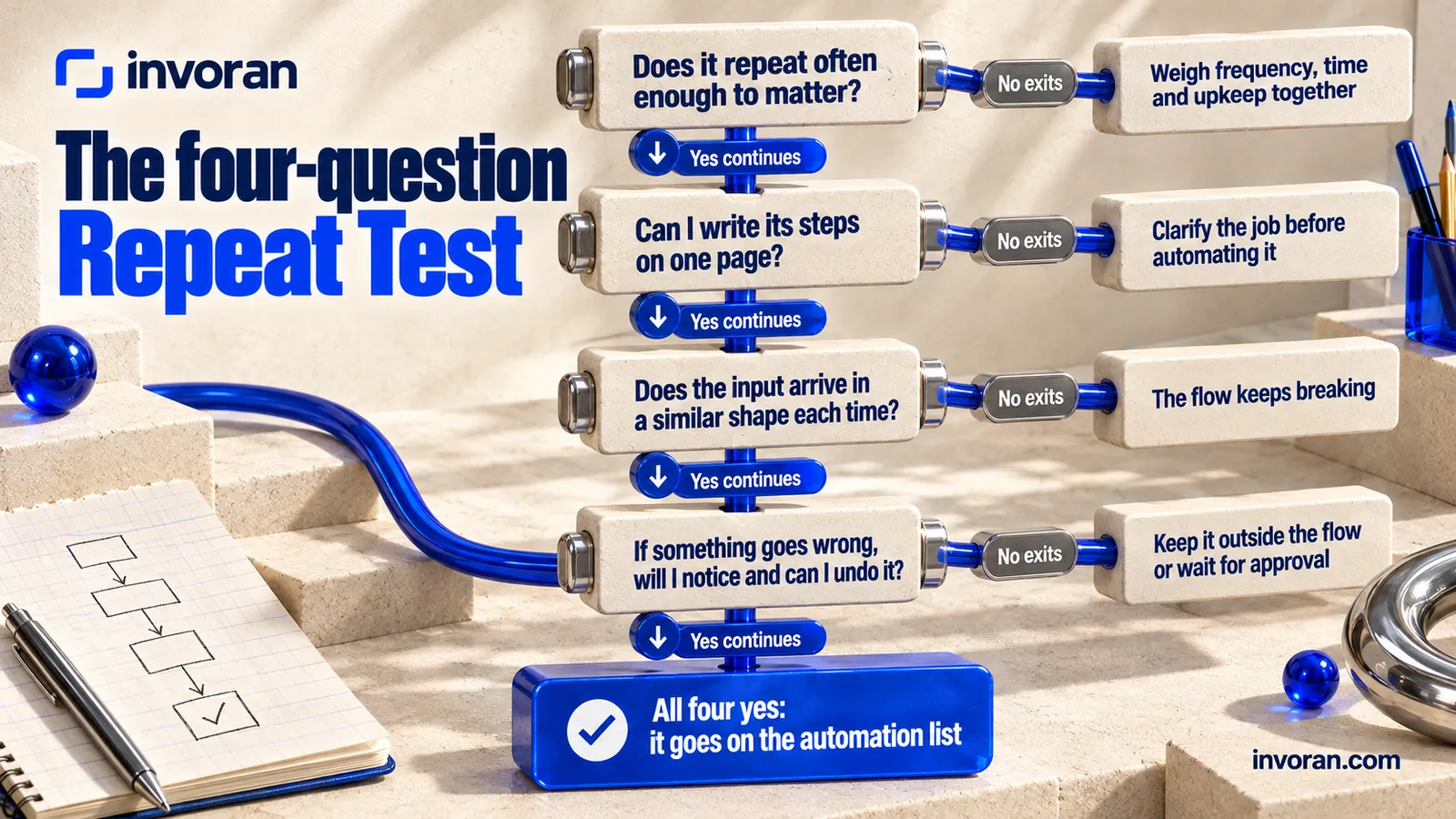
- Does it repeat often enough to matter? Weekly is the easy case. A monthly job can still qualify if it's long or error-prone, so weigh frequency, time and upkeep together.
- Can I write its steps on one page? If not, the job needs clarifying before it needs automating.
- Does the input arrive in a similar shape each time? If it keeps changing, the flow keeps breaking.
- If something goes wrong, will I notice and can I undo it? Steps you can't take back (a sent email, a published post) stay outside the flow or wait for approval.
In marketing, logging requests, tracking follow-ups, collecting weekly numbers and drafting captions usually pass; pricing, crisis replies and strategy don't.
What is the Human Step Rule?
The Human Step Rule means every automation reserves at least one step for a named person, with three things written down before setup: who does it, where in the flow it sits and what they check. "Someone will look if needed" is not a human step; it disappears within weeks.
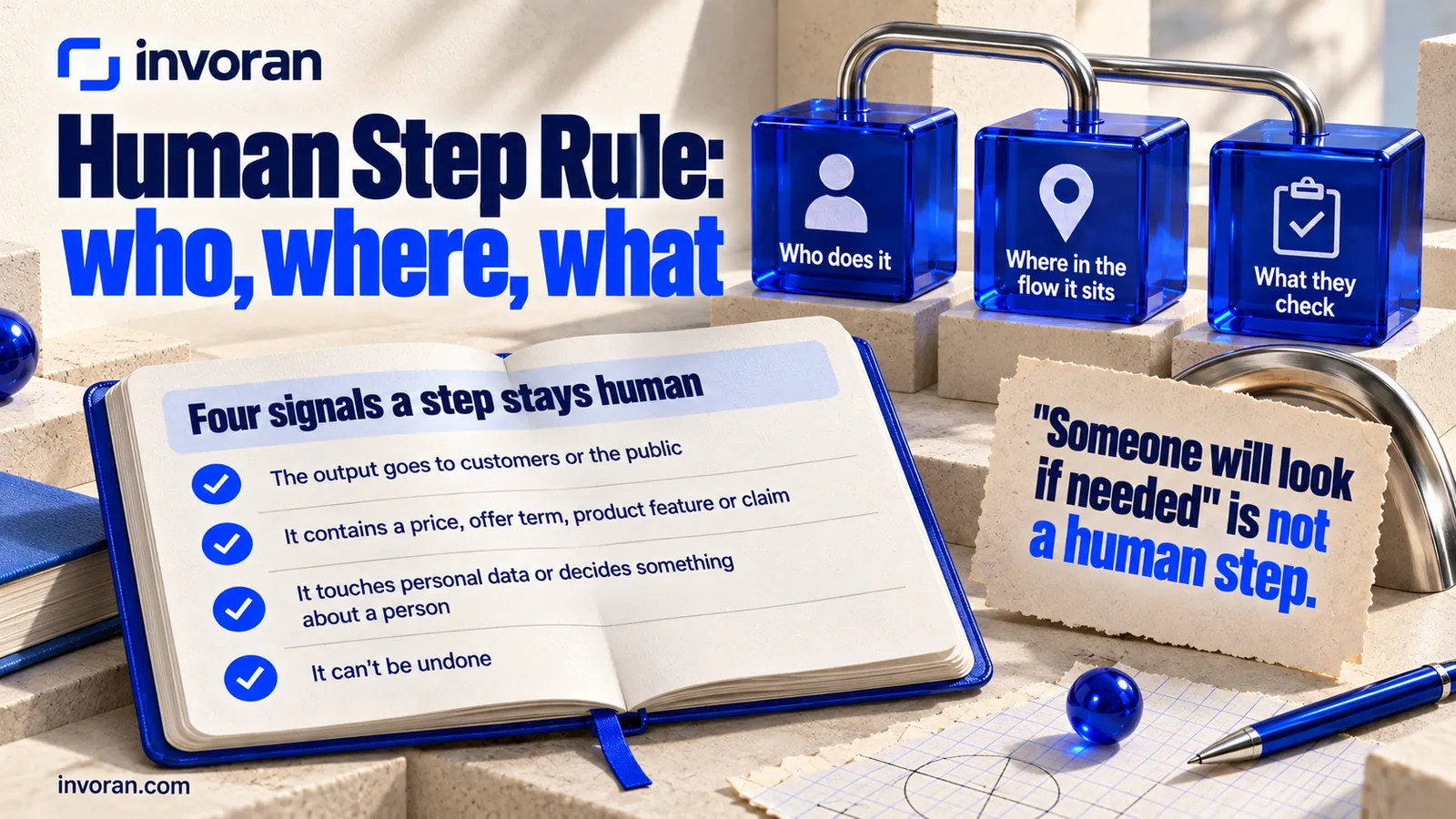
Four signals tell me which step has to stay human:
- The output goes to customers or the public. A sent email, a published post, text on your website.
- It contains a price, an offer term, a product feature or a claim. Each one gets checked against its source.
- It touches personal data or decides something about a person. Rejecting an applicant, removing a customer from a list.
- It can't be undone. Anything you can't correct afterward passes an approval first.
What are some AI automation examples, in marketing and beyond?
Twelve from marketing, where I work, and five from other teams, each with the step to keep human.
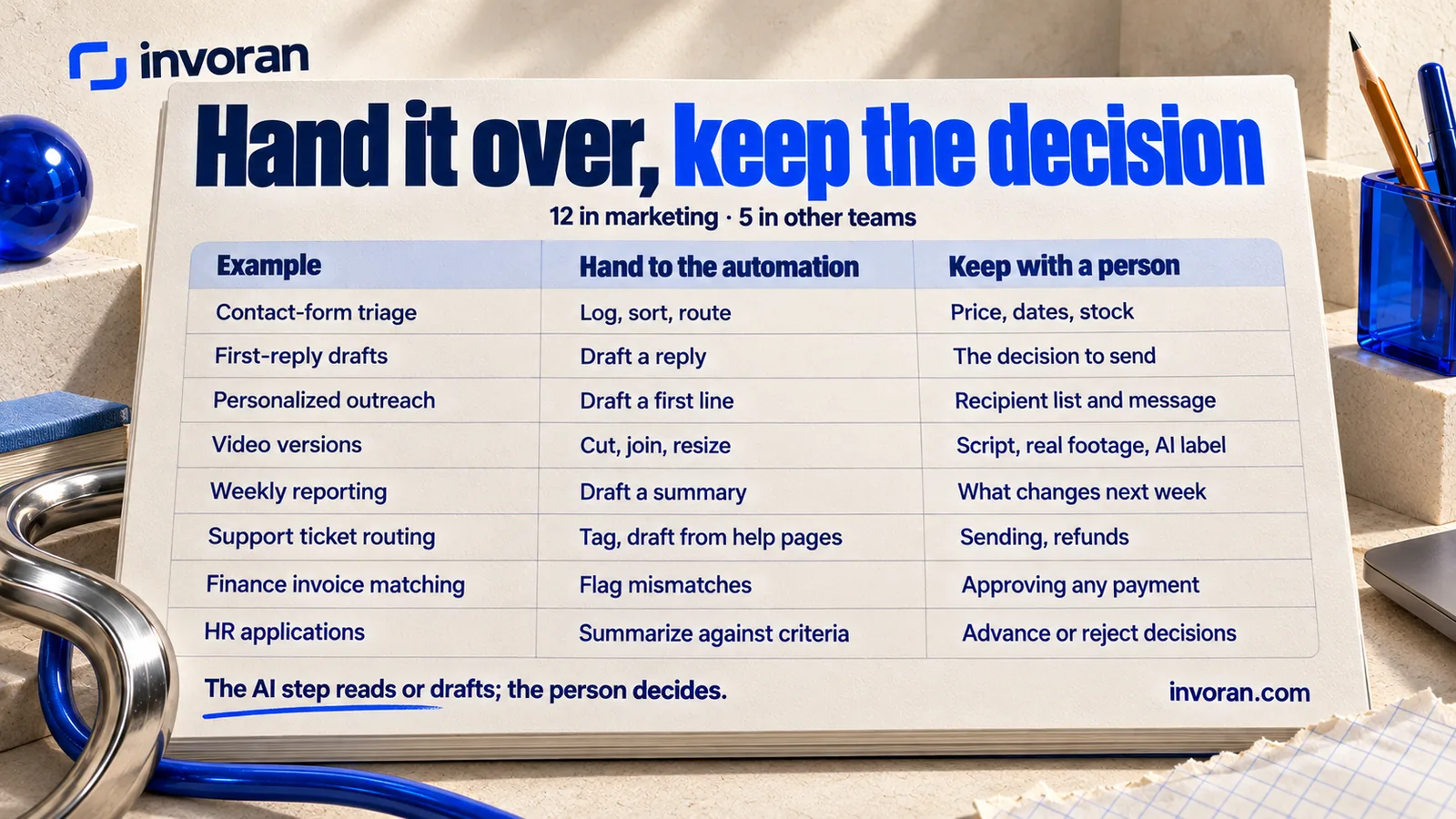
Twelve AI marketing automation examples
| # | Example | Hand to the automation | Keep with a person |
|---|---|---|---|
| 1 | Contact-form triage | Log, sort by topic, route to the right inbox | Anything involving price, dates or stock |
| 2 | First-reply drafts | Draft a reply for each request type | The decision to send, and every fact in the reply |
| 3 | Prospect research | Summarize a company's site before outreach | Who gets contacted, with which offer |
| 4 | Personalized outreach | Draft a first line from the research | Approval of the recipient list and the message |
| 5 | Follow-up tracking | Log follow-up dates, replies and bounces | Whether a follow-up should go at all |
| 6 | Opt-out handling | Add anyone who asks to stop to a suppression list | Reviewing the rules; never removing opt-outs |
| 7 | Content repurposing | Turn one blog post into channel-sized drafts | The opening line, claims and brand voice |
| 8 | Captions and subtitles | Draft subtitles and timing | Spelling of product names, final read-through |
| 9 | Video versions | Cut, join and resize clips for each channel | Script approval, real product footage, AI label |
| 10 | Comment and review tagging | Tag comments by topic and tone | Replies to negative comments, refunds and complaints |
| 11 | Weekly reporting | Pull analytics data, draft a summary | Deciding what changes next week |
| 12 | Meeting notes to tasks | Turn notes into a task list with owners | Confirming owners and deadlines |
Five AI automation examples outside marketing
| # | Team and example | Hand to the automation | Keep with a person |
|---|---|---|---|
| 13 | Support: ticket routing | Tag tickets by topic and urgency, draft answers from help pages | Sending the answer; refunds, account closures |
| 14 | Sales: call notes to CRM | Summarize the call, fill CRM fields | Deal value, stage and next step |
| 15 | Finance: invoice matching | Read invoices, pull amounts and order numbers, flag mismatches | Approving any payment and resolving each mismatch |
| 16 | HR: application summaries | Summarize each application against the written job criteria | Every decision to advance or reject a candidate |
| 17 | Operations: internal questions | Answer routine questions from policy documents, route the rest | Access rights and policy exceptions |
Two patterns stand out. The AI step is almost always reading or drafting, rarely deciding. And most "keep" cells trace back to one of the four signals, so the human step sits at the edges: what goes in (the list, the brief) and what goes out (the send, the post, the payment). To keep the drafting steps consistent, use a reusable AI prompt template.
What does AI automation look like in practice? Three flows from my own work
Three flows I run myself; the first two are part of the monthly work for the brands I work with, described on my services page. None of them guarantees reach or sales; they make the work repeatable and easier to check.
Outreach and follow-up. The recipient list is built from the target-customer definition and finalized only when the client approves it; that's the first human step. A follow-up date alone isn't a reason to send: I check the record for replies, refusals and bounces first. I track replies, meetings and proposals separately rather than counting sends as success.
Short video. Images and video come from Higgsfield, scene frames from Google Flow and Nano Banana, voice from ElevenLabs and music from Suno. I do the editing, subtitles and assembly with Claude: Claude Code edits files and runs commands, so it can cut and join clips with a command-line tool such as ffmpeg. Script approval, real product footage and the AI label stay human on every video; the label rules are in my guide to AI disclosure laws.
Weekly reporting. I measure with Google Analytics, Search Console and Ubersuggest, and every number carries its source and date range. At Pratik10, one of the brands I work with, the four most-viewed Instagram posts drew 2.1K, 2.1K, 940 and 584 views, and all four open with a question (account data, October 2026). Collecting those numbers suits automation; whether the next posts should open with a question too is a call for a person, and one account's data is an idea to test, not a rule.
Do you need a workflow or an AI agent?
Anthropic's guide on building agents draws the line clearly: workflows are systems where models and tools are orchestrated through predefined code paths, while agents are systems where the model dynamically directs its own process and tool use. The same guide recommends finding the simplest solution possible and adding complexity only when needed, and notes that agents' autonomy means higher costs and the potential for compounding errors.
In a workflow, I draw the path (form arrives, model sorts it, draft gets written, I check it) and it runs in the same order every time, so I can see which step failed. With an agent, I give only the goal and the model decides what to open, what to write and when to stop: useful for open-ended research, but each run differs.
My advice: make your first automation a workflow. Try agents where a mistake costs little, such as scanning a few competitor pages and drafting a summary.
How do you build your first AI automation?
Five steps are enough:
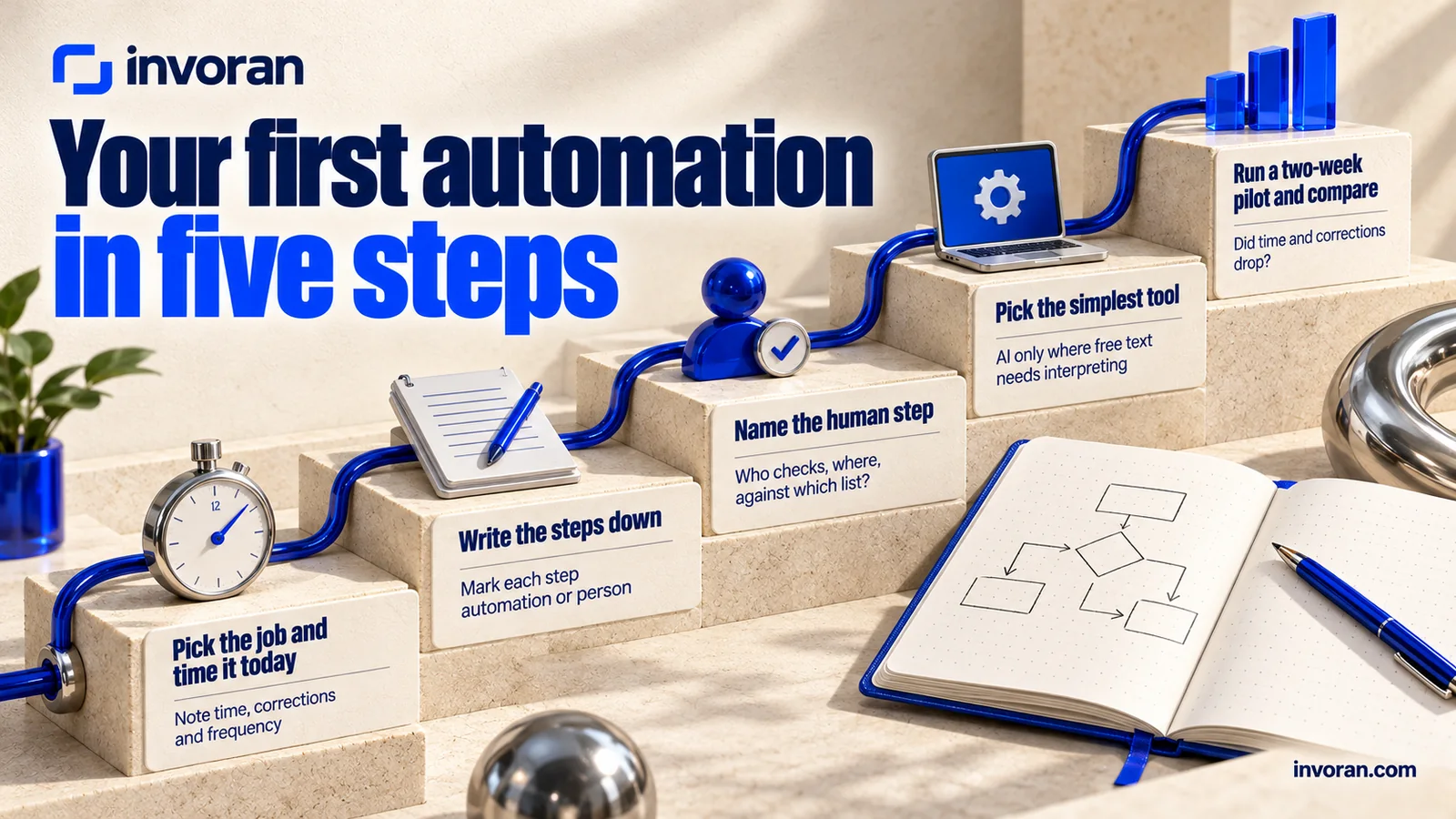
- Pick the job and time it today. Take one job that passes the Repeat Test and note its time, corrections and frequency, or you won't know whether automation helped.
- Write the steps down. List input, steps and output, and mark each step "automation" or "person".
- Name the human step. Who checks, where, against which list? When that person is away, does the flow wait or stop?
- Pick the simplest tool. Built-in email or spreadsheet rules may be enough. Put the AI step only where free text needs interpreting.
- Run a two-week pilot and compare. Did time and corrections drop? Spot-check AI outputs, log each break with its step, and before rerunning an irreversible step, check the record wasn't already processed.
Representative example (not a real client result): a B2B equipment seller automates its contact form. Entries land in a sheet; AI sorts each into "price question", "technical support" or "partnership" and drafts a reply; each morning a named salesperson corrects price and delivery details, then sends. After two weeks they compare response times and corrections.
Before launch:
- [ ] The job passes all four Repeat Test questions.
- [ ] The human step has a name, a place in the flow and a checklist.
- [ ] Outputs with prices, claims or personal data stop for approval.
- [ ] Opt-out requests are handled inside the flow, not from memory.
- [ ] Irreversible steps check for duplicates before they run.
- [ ] Someone owns maintenance when a connection, a field or a model changes.
Whoever builds the flow, its upkeep and human step stay with the team that owns the job. To teach that team on its own work, see hands-on AI training for your team or my outline of an AI upskilling program.
Which tool should you use: Zapier, Make or n8n?
The three tools people ask me about most, from each tool's own pricing and license pages (checked October 14, 2026):
| Tool | Free use | Paid plans | Good fit for |
|---|---|---|---|
| Zapier | 100 tasks a month, two-step Zaps | Professional shows "Starting from $19.99/month"; the page switches between monthly and yearly billing and yearly costs less, so check which period that figure reflects. Agents are a separate product with their own plans | Teams without technical staff who want to start fast |
| Make | Up to 1,000 credits a month | Priced by credits; annual billing is cheaper than monthly. Make AI Agents listed as beta. See the Make pricing page for current amounts | Teams who like building visual, multi-step flows |
| n8n | A self-hosted version on GitHub, usable for your own internal business purposes under its Sustainable Use License | Cloud plans on the n8n pricing page; enterprise (.ee) features need a separate license | Teams who can run a server; data sent to outside models still needs review |
Self-hosting n8n avoids a license fee for internal use, but the server is yours to pay for and maintain.
Connections usually decide it: does the tool reach your email, sheets, website and ad accounts, which model runs the AI step, and where is your data processed? For a wider map of tools by job, see how to use AI in marketing.
What rules apply to marketing automation with AI?
Once a flow sends email or touches personal data, the rules apply to you, not to the tool.
- U.S. commercial email (CAN-SPAM): the FTC's compliance guide says the law makes no exception for business-to-business email. Each message needs a valid physical postal address, a clear disclosure that it's an advertisement and a way to opt out. Opt-outs must be honored within 10 business days, and the mechanism must work for at least 30 days after sending. Hiring another company doesn't contract away your responsibility, and each violating email can draw penalties of up to $53,088. That's why example 6 keeps opt-outs inside the flow.
- EU automated decisions (GDPR Article 22): people have the right not to be subject to a decision based solely on automated processing, including profiling, that produces legal or similarly significant effects. Where an exception for contract or consent applies, the controller must still offer at least the right to human intervention. Any flow that makes that kind of decision about a person, such as example 16, needs its human step for compliance, not only for quality.
- United Kingdom: the UK has replaced its version of Article 22 with new provisions under the Data (Use and Access) Act 2025, fully in force from February 5, 2026. Check the current UK text.
Frequently asked questions
What is an example of AI automation?
A common example of AI automation is contact-form triage. Each new request is logged in a sheet, an AI model sorts it by topic and drafts a first reply, and a named person checks the draft's facts before it is sent. Rules move the data, the model reads and drafts, and a person approves what goes out.
What can AI automate in marketing?
AI can automate the reading and drafting steps of repeating marketing jobs: sorting inbound requests, researching prospects, drafting captions and subtitles, cutting video versions, tagging comments and assembling weekly reports. Decisions stay with people: pricing, crisis replies, campaign strategy and the final check on anything sent to customers.
Is AI automation the same as an AI agent?
No, they work differently. In an automation workflow, the builder sets the steps in advance and the flow runs in the same order every time. An AI agent receives a goal and decides its own steps and tools. Agents are more flexible but less predictable, so a workflow is usually the better first automation.
What should never be fully automated?
Pricing, crisis communication, campaign strategy and decisions that affect a specific person should never be fully automated. AI can draft for each of them, but a person makes the final call. Irreversible steps, such as sending an email or publishing a post, should always wait for an approval inside the flow.
Where should I start with AI automation?
Start with one job that repeats often, ideally weekly, in the same way. Time it today, write its steps on one page, name the human step and choose the simplest tool. Run a two-week pilot and compare time and corrections. If it works, move to a second job; don't build several flows at once.
Bottom line: automate the repeat, keep the decision
The best AI automation examples have the same shape: the repeating part is handed over, and the decision stays with a named person. Run your jobs through the Repeat Test, write the human step down before you build, and keep anything with a price, a claim or personal data behind an approval. Save agents for the work a workflow can't handle.
Send me a message on WhatsApp; the first 15 minutes are free.
Sources (accessed October 14, 2026)
- Anthropic — Building effective agents (December 19, 2024)
- Zapier — Pricing
- Make — Pricing
- n8n — Pricing and n8n Sustainable Use License
- Claude Code — product page
- FFmpeg — About
- FTC — CAN-SPAM Act: A Compliance Guide for Business
- Regulation (EU) 2016/679 (GDPR), Article 22, as adopted by the EU
- UK GDPR, Article 22 (revised), with Data (Use and Access) Act 2025 amendment note
- Invoran — Services
- Pratik10 Instagram account data, October 2026 (internal).