Last updated: October 14, 2026
AI in marketing means using software that can write, design, edit video, produce voice, research and automate repetitive tasks, so your team spends less time producing and more time deciding. To use AI in marketing well, don't start with a list of tools. Start with one repeated job, such as weekly social posts or answering inbound questions. Give an AI tool a clear brief for that job, keep a person in charge of the final check, and measure the result against how the job was done before.
This guide is for marketing managers and business owners running small teams. In short:
- Pick the job first, then the tool. A tool without a defined job becomes another subscription.
- Brief it the way you'd brief a freelancer. Audience, offer, facts, voice, claims to avoid, call to action.
- Keep humans on facts and final approval. AI tools can state wrong information with total confidence.
- Check rights and rules. Some free plans exclude commercial use, and AI-labeling rules tightened in 2026.
What is AI in marketing?
AI in marketing is the use of machine learning and generative AI to plan, create, deliver and measure marketing. It has two layers.
The first layer has been around for years: predictive and optimization systems inside ad platforms, email tools and analytics. When Meta's Advantage+ campaigns decide which audience and creative combination to show, that is AI in marketing. Newer features keep extending this layer, such as Google's AI Max for Search, which expands search targeting and ad text and left beta in April 2026.
The second layer is generative AI: tools that produce new text, images, video, voice and music from a prompt. This is the layer most people mean today, and where small teams gain the most: it compresses production work that used to need a copywriter, a designer, a video editor and a voice actor.
How can AI be used in marketing? The Job-First Map
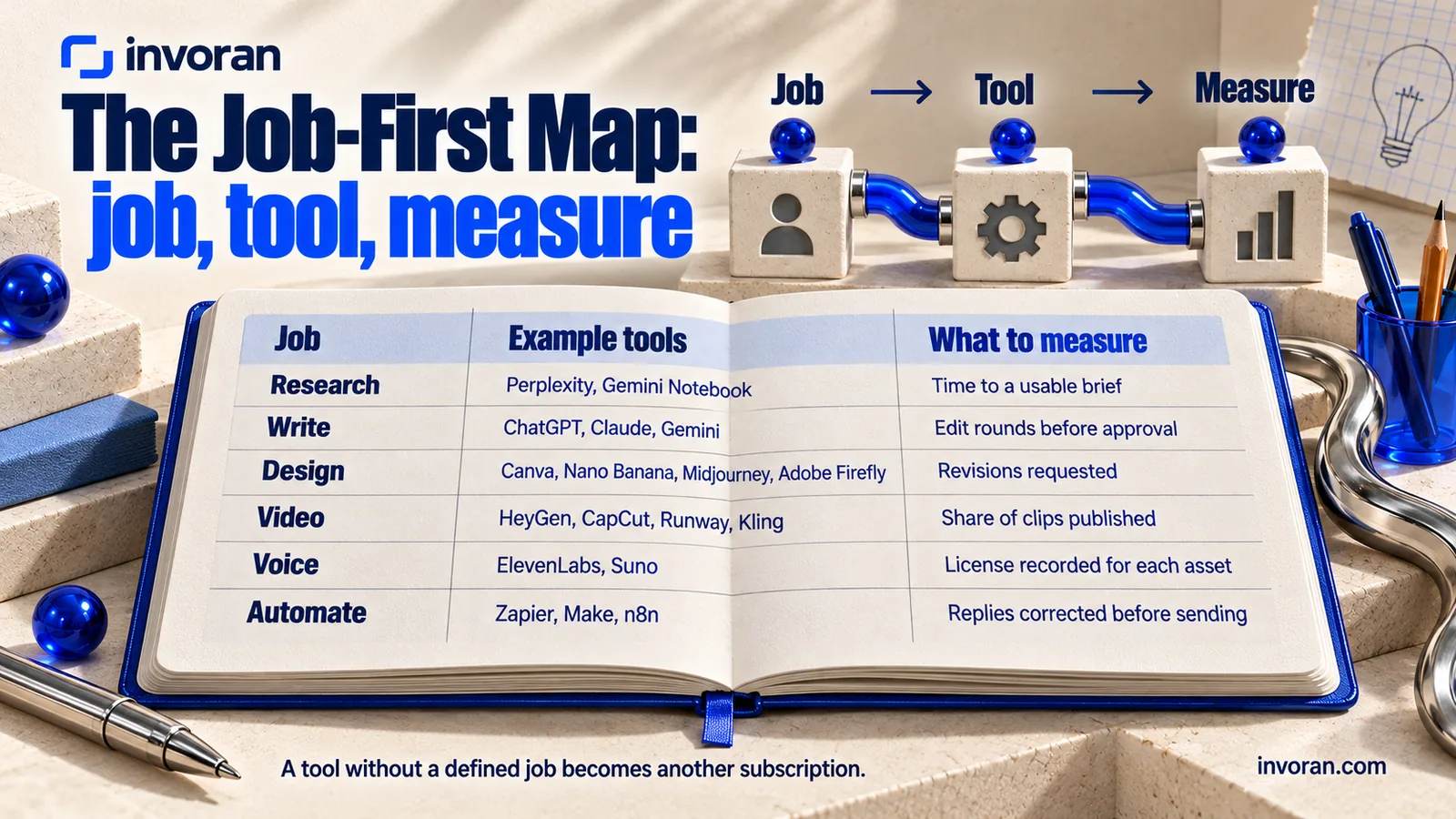
A common mistake is buying a tool and then looking for something to do with it. I call the reverse order the Job-First Map: define the job, choose the tool, then decide what you will measure. The table's last column turns a tool list into a decision tool.
| Job | What AI does | Example tools | What to measure |
|---|---|---|---|
| Research | Summarizes markets and competitors with sources; answers questions over your own documents | Perplexity, Gemini Notebook (formerly NotebookLM), ChatGPT, Claude | Time to a usable brief; share of facts you could verify |
| Write | Drafts posts, emails, ads, landing pages and product descriptions | ChatGPT, Claude, Gemini, Microsoft Copilot | Production time per piece; edit rounds before approval |
| Design | Creates and edits social graphics, product scenes and ad creative | Canva, Nano Banana (Gemini), Midjourney, Adobe Firefly | Time per finished graphic; revisions requested |
| Video | Generates clips, avatar videos, edits and captions | HeyGen, CapCut, Runway, Kling, Google Veo, Higgsfield | Time per finished clip; share of clips published |
| Voice | Produces voiceovers, dubbing and music | ElevenLabs, Suno | Time per voiceover; license recorded for each asset |
| Automate | Connects apps, routes leads, drafts first replies, compiles reports | Zapier, Make, n8n | Response time to inquiries; replies corrected before sending |
I run my own content work in the same order. For a short video, I write the script with Claude, make stills with Nano Banana, generate clips in Higgsfield or Google Flow, and add voice and music with ElevenLabs and Suno. None of these tools decides what the video should say; the brief does, and I check each step before anything is published.
Research: faster answers, but check every source
Perplexity answers with linked sources, a quick first pass for market and competitor research; basic searches are free. Google's research notebook, renamed from NotebookLM to Gemini Notebook in July 2026, works with the sources you add: uploaded files, Google Drive documents, web pages, or sources it finds on the web or in Drive. Add sales call notes, proposals and industry reports, then ask "What objections do our prospects raise most often?" and check which source each answer is based on. Whichever tool you use, verify every number before it goes into a deck or a post.
Write: brief first, prompt second
ChatGPT, Claude and Gemini all offer free plans. The fastest way to choose is to give all three the same brief and continue with whichever draft sounds most like your brand. Claude tends to suit long-form writing and document analysis, Gemini fits teams already in Google Workspace, and ChatGPT lets you create images in the same conversation, including a limited allowance on the free plan. For a closer look at one assistant, see Claude AI for marketing.
A good brief does more than any prompt trick. Include the audience, the offer, verified product facts, your brand voice, claims you must not make, and the call to action. Then edit with specific instructions: "Make it plainer, not more persuasive" or "Remove any statistic we haven't given you."
Design: real product, AI scene
- Canva: templates, resizing and AI image and copy features in one place. The free plan includes a limited number of AI uses, which is enough to test.
- Nano Banana: Google's image generation and editing models, available free in the Gemini app. It can also edit an existing product photo, such as changing the background.
- Midjourney: excellent aesthetics and style control, but no free plan; subscriptions start at $10 a month on monthly billing (checked October 14, 2026).
- Adobe Firefly: positioned by Adobe for commercially safe use, with limited free daily generations.
Keep your real product photo and use AI for the scene around it. Customers expect the product in the ad to match the one they receive.
Video: inputs matter more than the model
Video is where AI tools change fastest.
- HeyGen: avatar and talking-head videos in many languages; the free plan allows up to three videos a month, each up to 1 minute.
- CapCut: the free version covers short-form editing, auto captions and text-to-speech.
- Runway and Kling: generate video from text or images; Runway gives new users one-time trial credits.
- Google Veo and Flow: access to Veo depends on the product, region and account limits. Flow also offers limited video generation without a subscription, and Google has announced that its new Gemini Omni model will replace Veo in the Gemini app.
- Higgsfield: bundles several image and video models in one interface with ready-made ad workflows.
For creator-style video, the workflow and disclosure rules are in AI UGC ads; if you would rather hand video off, start with how to choose an AI video agency.
Voice: read the license before you publish
ElevenLabs creates natural voiceovers and dubbing in dozens of languages, and Suno generates songs and instrumentals. Both have free plans, and neither free plan includes commercial rights. Audio made on those plans can't go into an ad, a sales video or a client project.
Automate: let AI draft, let people send
A typical flow: a website form submission lands in a spreadsheet, AI classifies the request by topic and drafts a first reply, and a team member reviews it before it goes out. Zapier's free plan includes a monthly task allowance and Make's free plan includes monthly credits, both enough for a first workflow. n8n can be self-hosted free for internal business use, and its hosted cloud plans are paid. Teams without technical staff usually start with Zapier or Make; teams that can manage a server often prefer n8n.
Which AI marketing tools should you start with?
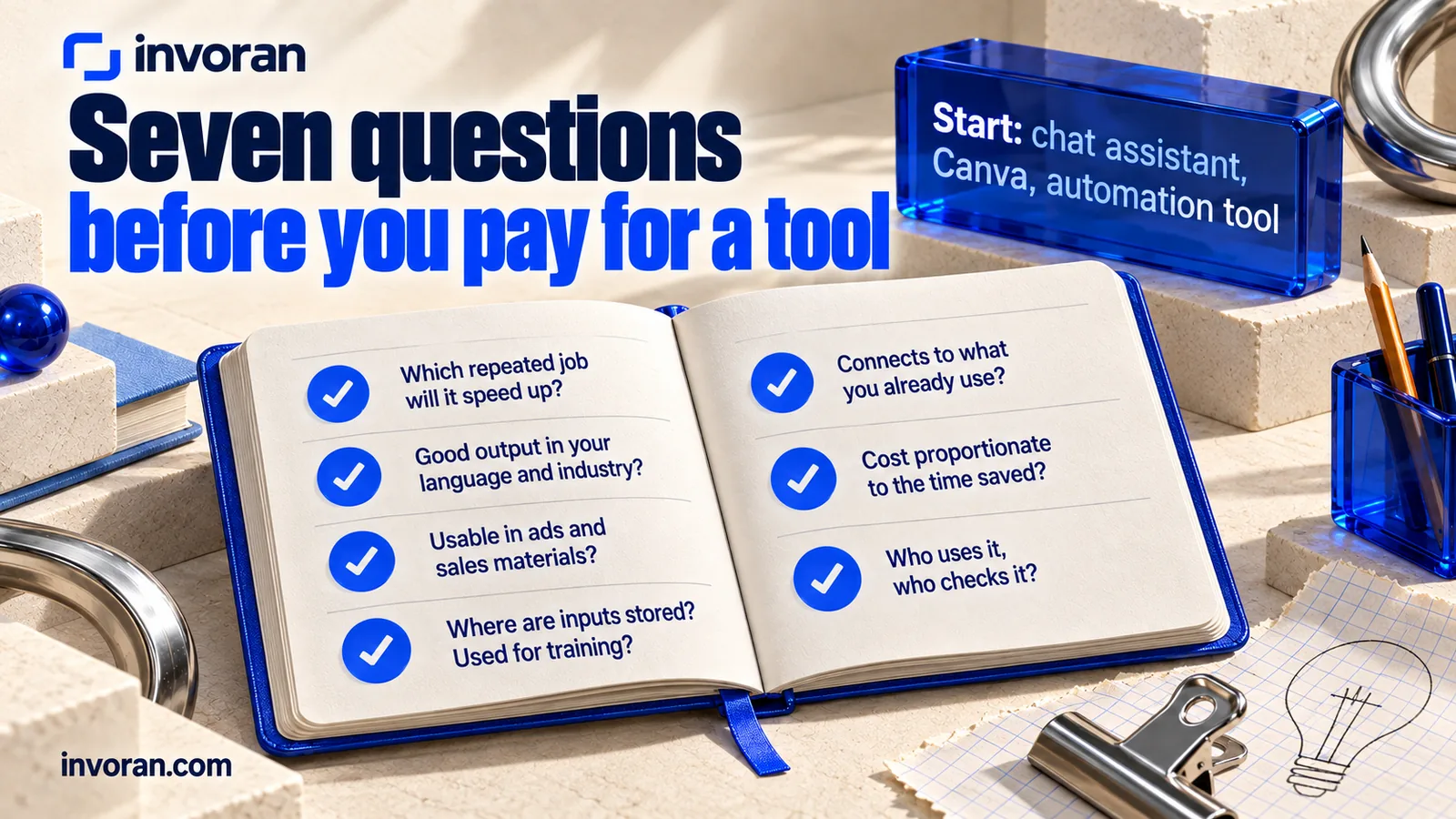
For most teams, three tools cover the first month: one chat assistant for writing and research, Canva for design, and one automation tool. Add video and voice tools only after the first workflow is running.
Free plans are fine for testing, but they have three limits:
- Usage caps. Daily or monthly allowances run out, which breaks a regular publishing rhythm.
- Commercial rights. As with ElevenLabs and Suno, free output may not be licensed for ads or client work. Read the terms before publishing.
- Data handling. Check whether your inputs can be used for model training, and keep customer personal data out of consumer plans.
Before paying for any tool, run this seven-question check:
- Which repeated job will this tool speed up?
- Is its output good enough in your language and your industry's vocabulary? Test with your own material.
- Can you use what it produces in ads and sales materials?
- Where are your inputs stored, and are they used for training?
- Does it connect to what you already use (Google Workspace, Microsoft 365, Meta, your website)?
- Is the monthly cost proportionate to the time it saves?
- Who on the team will use it, and who will check the output?
How to use AI in marketing step by step: a two-week pilot
Start with a small, measured pilot, not a company-wide rollout.
- Choose one job. For example, three social posts a week, or first replies to website inquiries.
- Record the baseline. Use the "What to measure" column of the map: how long the job takes today, and how many rounds of edits it needs.
- Write a brief template. Audience, offer, product facts, voice, banned claims, call to action.
- Let AI draft and people decide. Prices, product specs, offer terms, rights and brand voice are checked before anything is published.
- Compare after two weeks. Did production time, edit rounds and the number of qualified inquiries change?
If the pilot works, document the workflow and move to the next job on the map. If it doesn't, the baseline tells you whether the problem was the tool, the brief or the job itself. I don't promise a set number of hours saved before a pilot starts; the baseline you record in the first week is what shows whether AI helped.
What are some examples of AI in marketing?
One pattern from my own work shaped the first example below. At Pratik10, one of the companies I work with, the four most-viewed Instagram posts as of October 2026 drew 2.1K, 2.1K, 940 and 584 views, and all four open with a question. That is one account, not a rule, but it is why I start content from the questions customers actually ask.
The examples themselves are illustrative, not client results:
- A local café takes its most common customer question ("Do you have gluten-free options?"), drafts three post variations with a chat assistant, corrects them against the real menu, builds a graphic in Canva around a real photo, and cuts a short captioned clip in CapCut.
- A B2B software company uploads webinar transcripts to a research notebook, pulls the five most-asked questions, and turns each into a LinkedIn post, a short video and a sales email.
- An online store keeps its real product photos, uses an image model to create seasonal backgrounds, and lets Meta's Advantage+ test combinations of those images and headlines.
What are the risks of using AI in marketing?
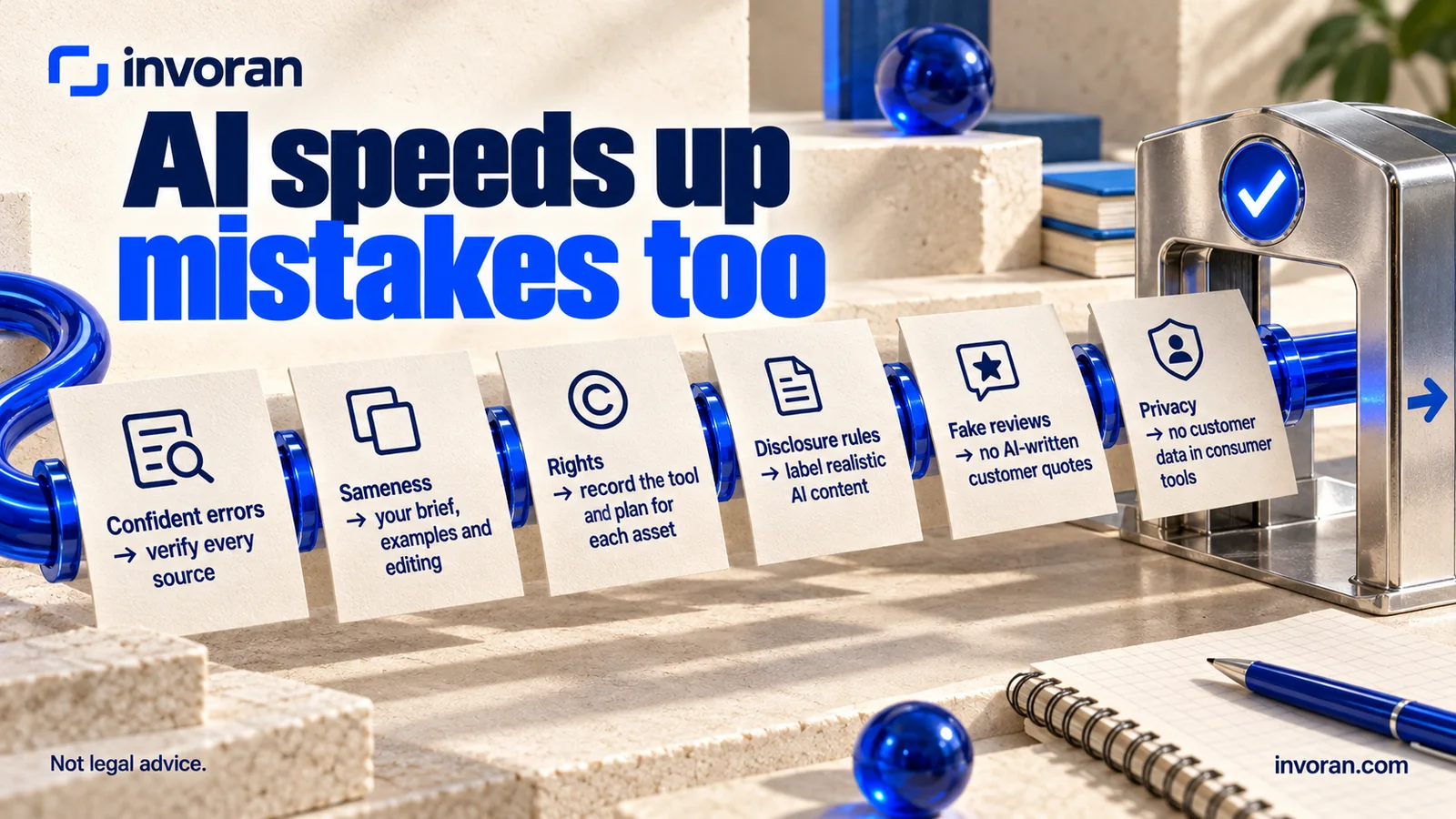
AI speeds up production, but it also speeds up mistakes.
The main risks:
- Confident errors. AI tools can invent statistics, features and sources. Never publish a price, performance figure, health claim or "best" and "first" claim without a verified source.
- Sameness. If you use the default output, your content will sound like everyone else's. Your brief, examples and editing are what make it yours.
- Rights. Free plans and some models restrict commercial use. Keep a record of which tool and plan produced each asset.
- Disclosure rules. YouTube requires creators to disclose realistic altered or synthetic content. Meta requires people to use its disclosure tool when they post organic content with photorealistic video or realistic-sounding audio that was digitally created or altered, and shows an "AI info" label. TikTok requires labels on AI content showing realistic scenes or people. In the European Union, most of the AI Act's Article 50 transparency obligations, including deepfake disclosure, apply from August 2, 2026.
- Fake reviews. In the US, the FTC's rule on consumer reviews and testimonials, effective October 21, 2024, bans fake reviews and testimonials, including AI-generated reviews attributed to people who don't exist. Don't let a tool write customer quotes for you.
- Privacy. Don't paste customer personal data into consumer AI tools. Use business plans with clear data terms if you need to work with customer information.
Will AI replace marketing agencies?
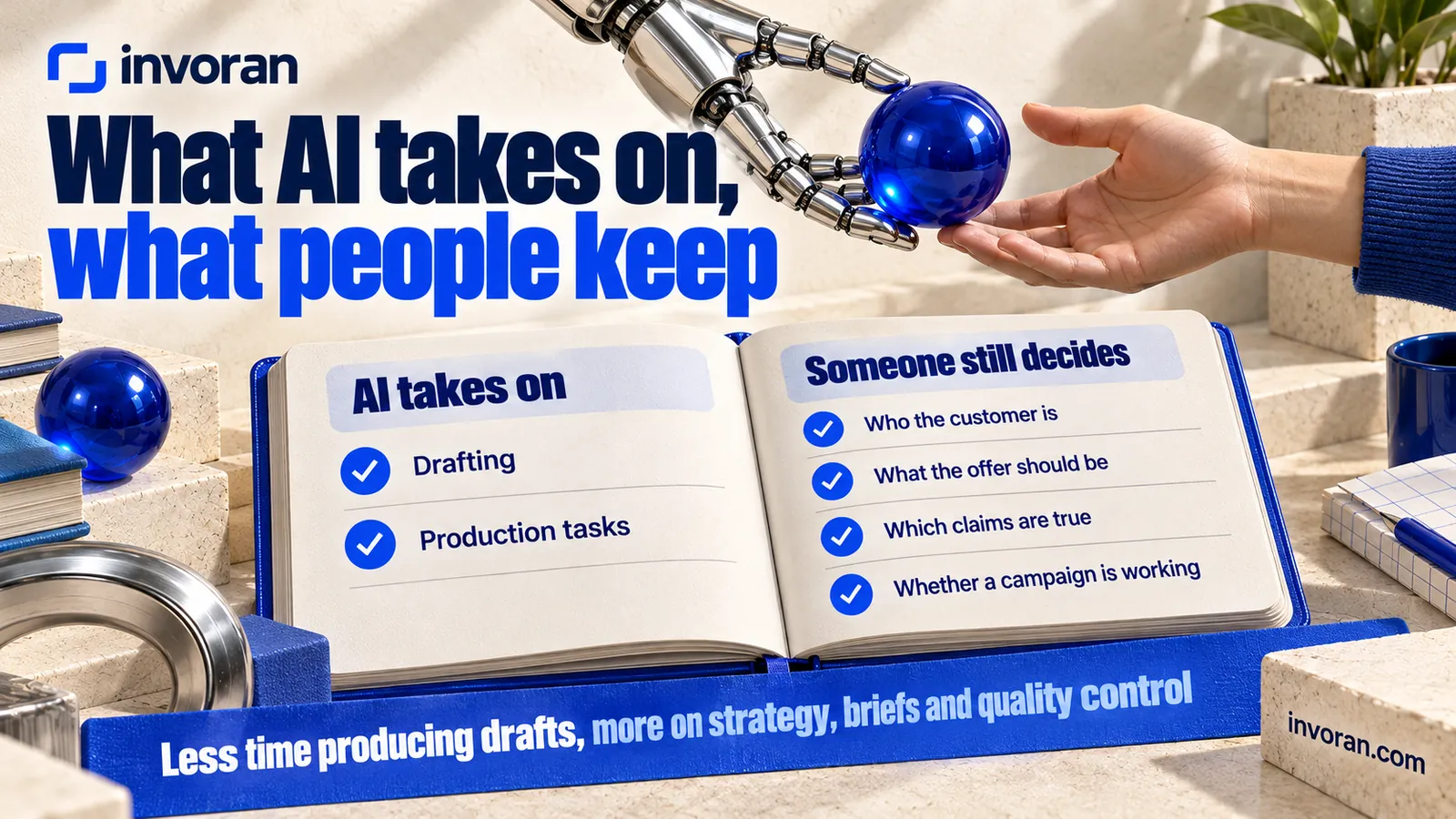
AI can take on drafting and production tasks, but not the judgment behind them. Someone still has to decide who the customer is, what the offer should be, which claims are true, and whether a campaign is working. What changes is the shape of the job: less time producing drafts, more time on strategy, briefs, quality control and measurement.
If you want your own team to run these workflows, that is what AI training is for; I build mine around each team's own campaigns, customer questions and brand voice. If you would rather hand production off, my AI marketing services page lists what that covers. To weigh the routes side by side, compare an AI marketing consultant, an AI agency and a course.
Frequently asked questions
What do marketers use AI for?
Marketers use AI mainly to draft social posts, ads, emails and blog content, to create and edit images and short videos, to research markets and competitors, and to automate lead routing and reporting. Ad platforms such as Meta and Google also use AI to optimize targeting and creative combinations inside campaigns.
Can AI automate marketing?
AI can automate many marketing tasks, such as sorting inquiries, drafting first replies, resizing creative and compiling reports, but not the whole function. Strategy, offer decisions, fact checking and final approval still need people. The most reliable setup lets AI draft and route, and lets a team member review before anything reaches a customer.
How much does AI marketing cost?
Many AI marketing tools have free plans that are enough for a first pilot, including ChatGPT, Claude, Gemini, Canva, Zapier and Make. Paid plans vary by tool: Midjourney starts at $10 a month on monthly billing (October 2026), while n8n's cloud service uses paid plans. Commercial use, higher limits and team features usually require a paid plan.
Can you use AI images in marketing?
Yes, if the tool's commercial terms cover your intended use and you have the rights you need, including permission from any real person shown. Follow applicable disclosure rules. Even with permission, not every use is lawful: Turkey prohibits ads in which an AI copy of a real person falsely appears to have used, experienced or recommended a product.
How do I start using AI in marketing as a beginner?
Pick one repeated job, such as weekly social posts. Write a short brief with your audience, offer, facts and voice. Test the same brief in two or three free chat assistants, choose the better draft, edit it, and publish. After two weeks, compare time spent and results with the weeks before.
Where to start
You don't need a stack of subscriptions to use AI in marketing. Choose one repeated job, test a free tool against a clear brief, keep a person on facts and final approval, and measure after two weeks. Read the license before publishing commercially, and label realistic AI content where rules require it.
To choose a first job and plan a pilot together, message me on WhatsApp; the first 15 minutes are free.
Sources
- European Commission — Transparency obligations under Article 50 of the AI Act (FAQ)
- YouTube Help — Disclosing altered or synthetic content
- Meta — Our approach to labeling AI-generated content and manipulated media
- Meta — Labeling AI-generated images on Facebook, Instagram and Threads (February 2024)
- TikTok — Supporting responsible, transparent AI-generated content
- FTC — Final rule banning fake reviews and testimonials
- Federal Register — FTC consumer reviews rule (effective October 21, 2024)
- Google Ads — AI Max for Search campaigns
- Google — NotebookLM is now Gemini Notebook (July 2026)
- Gemini Notebook Help — Add or discover new sources for your notebook
- Google Gemini — image generation (Nano Banana) and video generation (Gemini Omni)
- Google Flow — plans, access and credits
- Midjourney — Comparing Midjourney plans
- Vendor pricing pages (ChatGPT, Claude, Gemini, Canva, Midjourney, Adobe Firefly, HeyGen, ElevenLabs, Suno, Zapier, Make, n8n), checked October 14, 2026. Plans and limits change; confirm on each vendor's site.
- Turkey Official Gazette — advertising regulation amendment, July 1, 2026
- Pratik10 Instagram account data, October 2026 (internal record).