Last updated: October 14, 2026
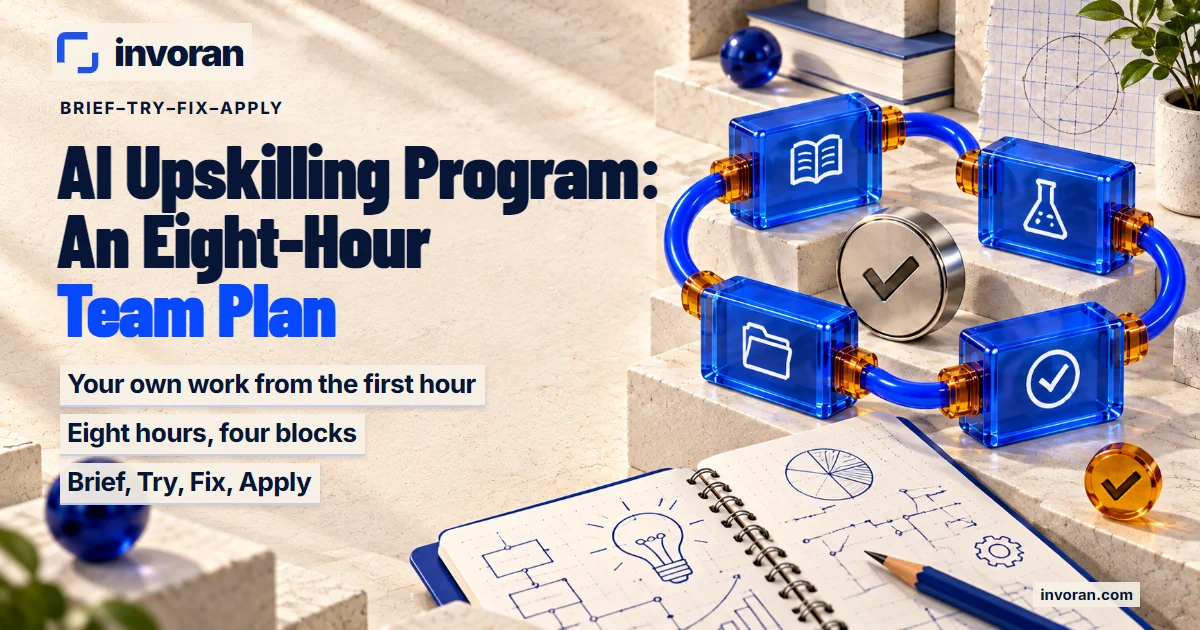
An AI upskilling program is structured training that teaches employees to use generative AI tools, such as ChatGPT and Claude, in the work they already do every week. A good one is built on the team's own material, not tool tours: people rewrite a real product page or draft a real customer email during the session. Every exercise goes through four steps: brief the job and how success will be judged, try the request in a tool, fix the output against a written checklist, and apply the result so it can be repeated. I call this the Brief–Try–Fix–Apply loop.
For eight hours, the split that works is about two hours on each of four topics: describing the need, writing and ideas, images and video, and web and marketing tasks. Keep the group small, one to four people, so every output gets reviewed; a larger company runs the same plan team by team. (This is about teaching people to use AI tools; training a model on your data is a different subject.)
In short:
- Your own work from the first hour: exercises come from participants' real jobs.
- Eight hours, four blocks: as two intensive days or sessions spread over several weeks.
- A written check: nothing passes because it "looks good"; it passes the six-question Fix checklist.
- Something to keep: prompt templates, corrected drafts, a checklist and a weekly routine.
- Company-wide: start with one pilot team, then repeat in small groups.
What is an AI upskilling program, and who actually needs one?
AI upskilling adds AI skills to the job someone already has; reskilling prepares them for a different job. An AI upskilling program builds three skills: telling the tool clearly what you need, judging what comes back, and fixing the output until it meets the real standard of the work. Menus change often; these three skills don't.
Corporate AI training of this kind pays off most for teams that produce text, images and video on a schedule, such as e-commerce content teams and B2B sales and marketing teams. Managers benefit too: seeing what AI can speed up makes tool decisions easier. If you're still working out where AI fits in your marketing, start with how to use AI in marketing.
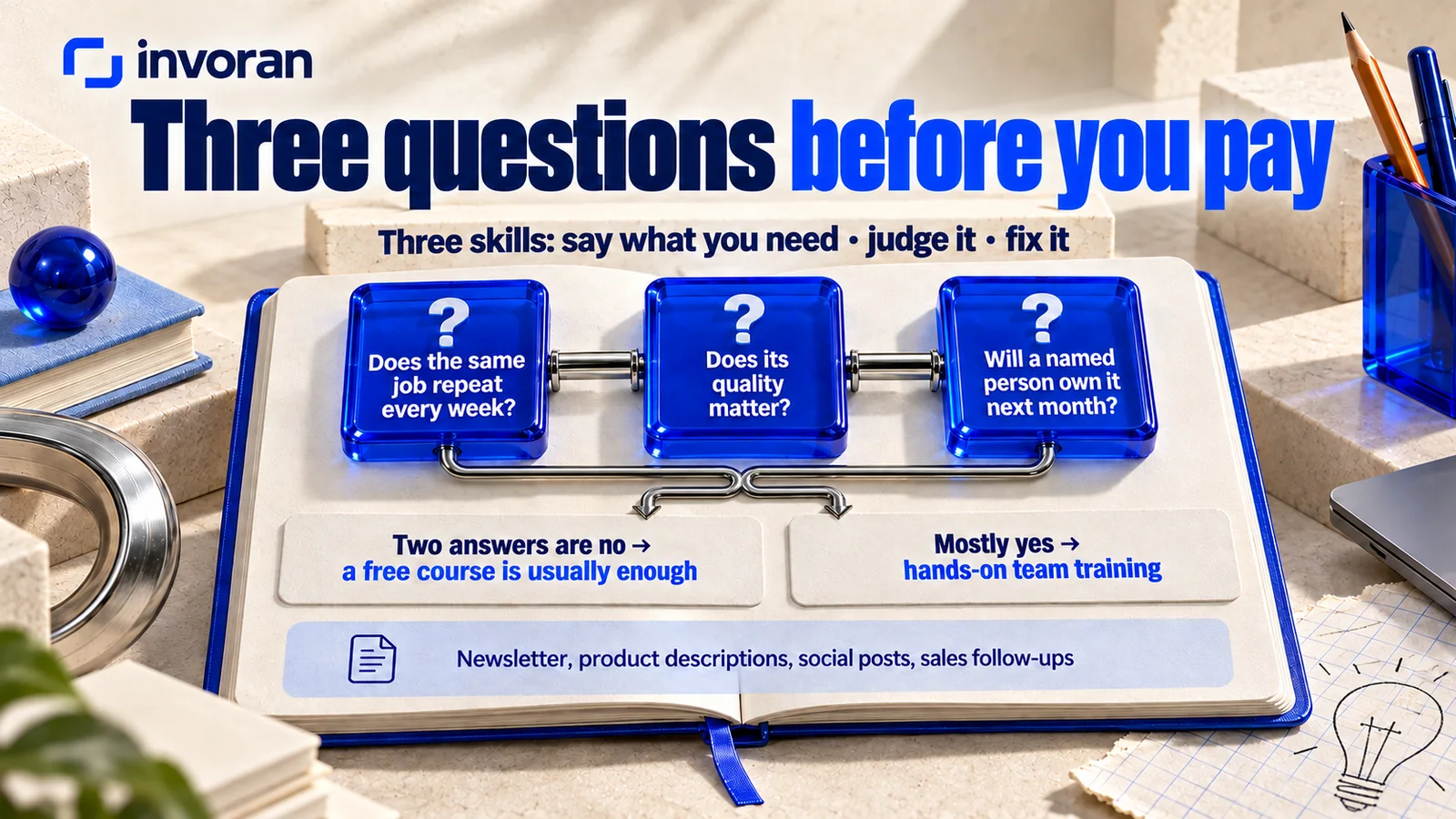
Not every team needs one. Before you pay for AI training for teams, run a three-question check:
- Does the same job repeat every week? A newsletter, product descriptions, social posts, sales follow-ups.
- Does its quality matter? Facts, brand voice and claims have to be right every time.
- Will a named person own it next month? Someone has to keep using what the session builds.
If two answers are no, a free course is usually enough.
Does the EU AI Act require AI training?
If your company provides or uses AI systems in the European Union, Article 4 of the EU AI Act, on AI literacy, has applied since February 2, 2025. The European Commission's FAQ says it also reaches organizations outside the EU when their AI systems are placed on the EU market, used in the EU or affect people there. Digital Omnibus amendments entered into force in mid-July 2026; AI literacy remains an obligation for providers and deployers, with no specific level mandated. There is no need for a certificate; organizations can keep an internal record of trainings and other initiatives.
How do you roll out an AI upskilling program across a company?
For a whole workforce, don't put everyone in one large room.
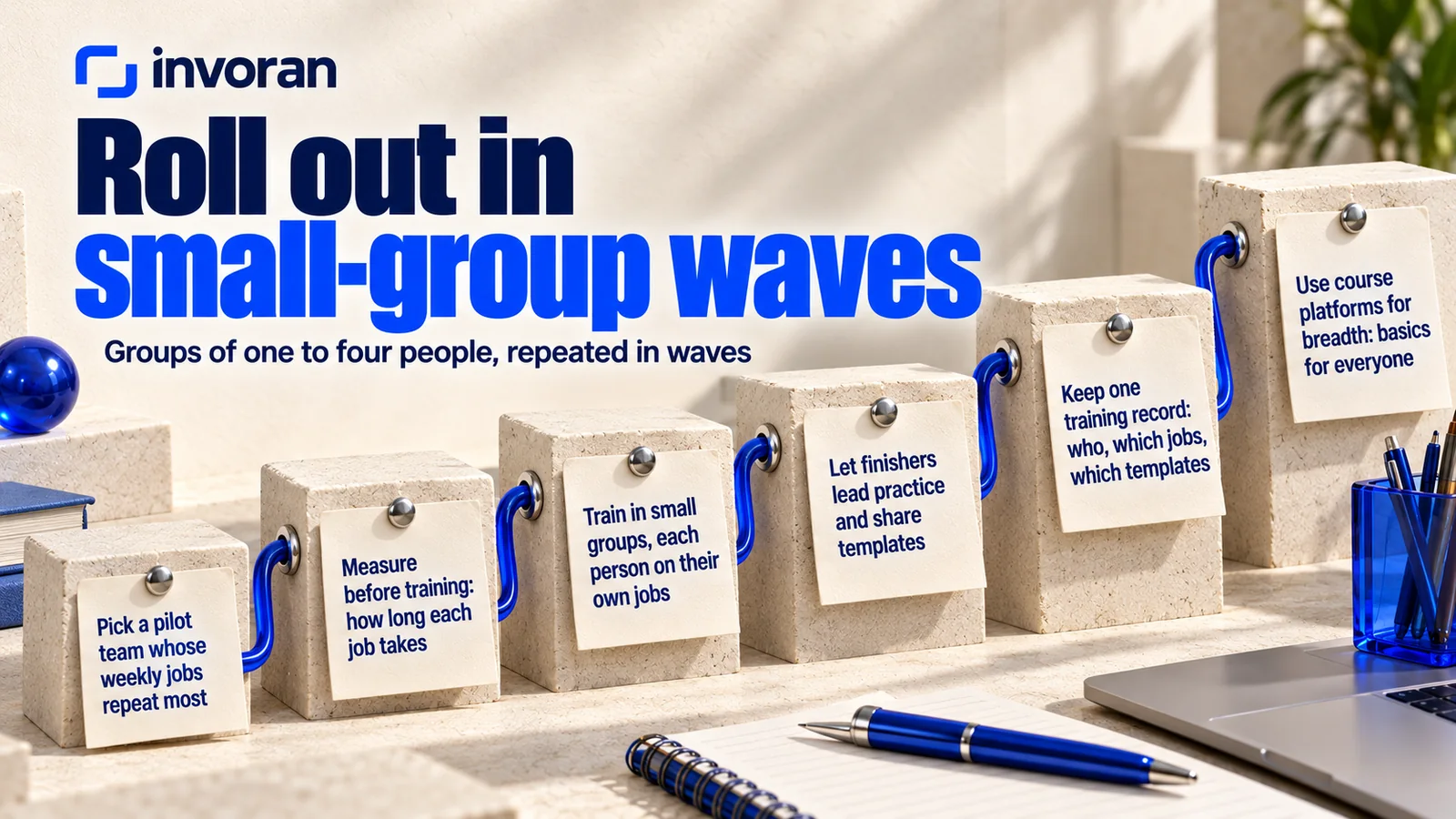
This plan is built for groups of one to four people; a company-wide program repeats it in waves:
- Pick a pilot team. Choose the team whose weekly jobs repeat most, using the three-question check above.
- Measure before training. Note how long each chosen job takes today (see the prep list below).
- Train in small groups. Each person works on their own jobs, not a shared demo.
- Let finishers lead practice. People who completed the four weeks after training run the next group's practice sessions and share their templates.
- Keep one training record. Who took part, which jobs, which templates became the team standard. In the EU, it doubles as the internal record mentioned above.
- Use course platforms for breadth. A course can give everyone the basics; hands-on sessions go to the teams that repeat the same jobs every week.
Free course, certification or team training: which one is enough?
Each path answers a different question:
| Path | Question it answers best | Limit | Best for |
|---|---|---|---|
| Free online course | What is AI, and what does each tool do? | Not adapted to your products or brand voice; little feedback | One person learning at their own pace |
| Certification program | Can I prove what I learned? | A certificate doesn't change a workflow; same content for everyone | Someone who needs a credential |
| Hands-on team training | How does my team use these tools in its own work? | Paid; needs preparation and follow-up | Teams repeating the same jobs weekly |
For self-paced learning, start with the tool makers. In March 2025, OpenAI described OpenAI Academy as a publicly available, free online resource hub, and Anthropic Academy offers courses on topics such as AI fluency and Claude Code. I look at credentials in is AI certification worth it? and at courses against consultants and agencies in AI marketing consultant vs. agency vs. course. The rest of this article covers the third path.
How can you tell a good AI training program from a weak one?
Before you accept a proposal, look at how the hours are spent, not at the topic list:
| Criterion | Weak program | Strong program |
|---|---|---|
| Where exercises come from | Ready-made examples | Each participant's own work |
| How tools are taught | A menu tour, tool by tool | The job first, then the right tool |
| How time is split | Mostly talking and watching | Mostly trying and fixing |
| How output is checked | "Looks good" | Against a written checklist |
| Group size | Everyone watches one screen | Everyone works on their own job |
| Data rules | Never mentioned | Agreed at the start |
| What's left afterward | A slide deck | Prompt templates, drafts, a checklist, a routine |
The most telling row is the time split: knowing what to do when a tool gives the wrong answer only comes from trying and fixing, not from watching.
How does the Brief–Try–Fix–Apply loop work?
The Brief–Try–Fix–Apply loop is the four-step cycle every exercise goes through, whether the topic is an email or a video.
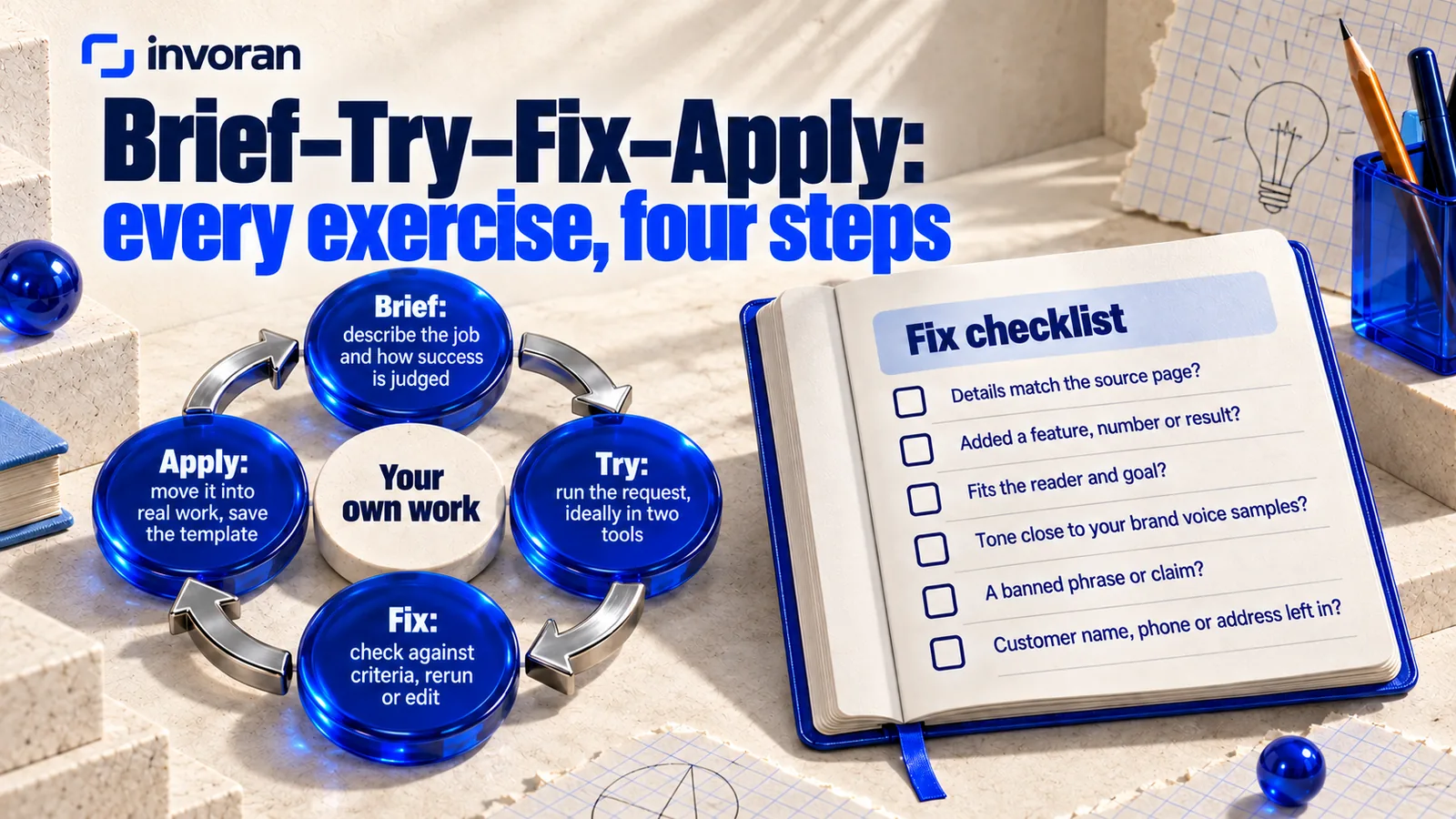
- Brief: Describe the job and how success will be judged. Who is it for, what should it achieve, which facts are certain, what must never appear? Without this, you can't tell what "right" looks like.
- Try: Give the request to the tool. When you can, run it in two tools, such as ChatGPT and Claude, to see which one needs less fixing for your work.
- Fix: Check the output against the criteria, then improve the request and rerun it, or edit by hand. Telling the tool not to fill gaps with invented details belongs here.
- Apply: Move the fixed output into real work. Save the request that worked as a template and note who uses it and how often.
A checklist for the Fix step:
- Do product and service details match the source page?
- Has the tool added a feature, number or result that isn't in the source?
- Does the text fit the reader and goal defined in Brief?
- Is the tone close to the examples your team calls "us"?
- Does a banned phrase or claim appear?
- Is a customer name, phone number, address or other identifying detail left in?
Fix matters most: AI writes fast, but whether the output is right is the team's call. The loop comes from my own production: I draft text with Claude and run every draft through this list before it goes live. For writing the request itself, see my AI prompt template guide.
What does an eight-hour AI upskilling program look like, hour by hour?
The template below splits four topics into two-hour blocks. I build my own AI training for employees around each team's own work; the exercises are chosen in the first consultation.
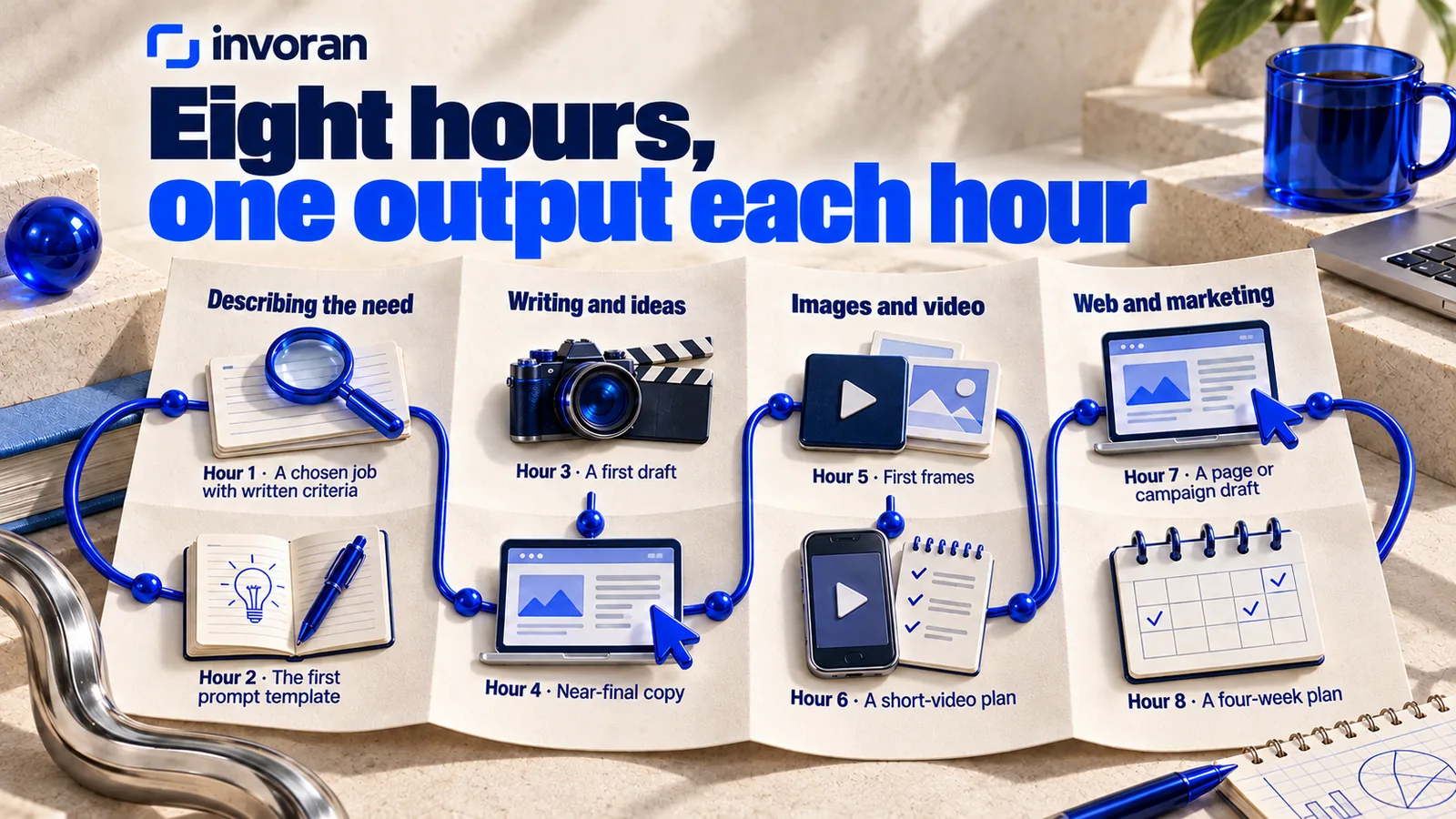
| Hour | Topic | Loop step | Exercise (your own work) | Output |
|---|---|---|---|---|
| 1 | Describing the need | Brief | List the three most time-consuming jobs; pick one | A chosen job with written criteria |
| 2 | Describing the need | Try, Fix, Apply | Run one request in ChatGPT and Claude; compare | The first prompt template |
| 3 | Writing and ideas | Brief, Try | Draft a real product page or customer email | A first draft |
| 4 | Writing and ideas | Fix, Apply | Fix the draft with the checklist | Near-final copy |
| 5 | Images and video | Brief, Try | Describe a scene using a real product photo as reference | First frames |
| 6 | Images and video | Fix, Apply | Script, frame order and subtitle plan | A short-video plan |
| 7 | Web and marketing | Brief, Try, Fix | Criteria and a draft for a page or campaign | A page or campaign draft |
| 8 | Web and marketing | Apply | The weekly routine: which job, which prompt, who checks | A four-week plan |
Every block ends with something the team made, not a topic "covered," and the last hour goes to the weekly routine, because a program without one is forgotten in the first busy week.
A limit, stated plainly: I don't guarantee that a team reaches a certain speed after eight hours; what lasts depends on whether the templates get used. In training, starting with tools the team already has is usually more practical.
My own production stack (Higgsfield for images and video, Google Flow and Nano Banana for scene frames, ElevenLabs for voice, Suno for music, and Claude for editing, subtitles and assembly) is covered in AI product photo to video.
Two intensive days or sessions spread over weeks?
Two intensive days suit a team that wants a fast start; sessions over several weeks suit heavy workloads and leave room to practice in between. I'm based at ODTÜ Teknokent in Ankara, Turkey, and run my training online only: everyone works on their own computer and account and takes turns sharing their screen.
What should your team prepare before AI training?
After the first consultation, collect:
- Three time-consuming jobs: each person lists the repeating jobs that take most of their week and notes how long each takes now and how many rounds of fixes it needs. Exercises come from this list; week four compares against it.
- Real material: a product page, a recent customer email, a few product photos, in the versions actually in use.
- Brand voice samples: two or three pieces the team calls "us," as the reference for tone.
- Off-limits phrases: claims you can't make, competitor names, words you avoid.
- Accounts and tools: who has an account in which tool? Tool subscriptions aren't included in my training.
- Anonymized examples: customer names, phone numbers and addresses are removed first. The data section below explains why.
What should happen in the four weeks after the training?
The real test of an AI upskilling program is the four weeks after it ends:
- Week one: Do the chosen job with the saved prompt every time, and note any change to the prompt.
- Week two: Add a second job and update the checklist with the points you fixed most often.
- Week three: Share prompts across the team and list in one document who uses which prompt and who checks which output.
- Week four: Compare time spent and number of fixes with the weeks before training. Drop prompts that didn't help; make the rest the team standard.
Keep recording time and rounds of fixes for each job. Time is often lost in waiting and fixing rather than producing, so judge whether the team got faster from the record, not a feeling.
The same records also show what works in the output itself. On the Instagram account of Pratik10, one of the brands I work with, the four most-viewed pieces of content as of October 2026 had 2.1K, 2.1K, 940 and 584 views, and all four open with a question. Four posts don't make a rule, but they tell you what to test next; review your training records the same way before a prompt becomes the team standard.
How do you keep customer data safe during AI training?
Hands-on training uses real work, so data rules belong at the start:
- Use placeholders. Write "[Customer name]" and remove phone numbers, addresses, order details and any context that could identify a person. Changing only the name doesn't make data anonymous.
- Keep third-party personal data out, and health, financial and legal details most of all.
- Check each tool's data settings before the first session. Defaults differ by plan, so decide which plan each participant uses and who checks its settings.
Checked on October 14, 2026: OpenAI says it may use content from consumer ChatGPT plans to train its models unless you turn off "Improve the model for everyone" under Settings > Data controls, and that by default it doesn't use inputs or outputs from ChatGPT Business, Enterprise, Edu or its API. Anthropic says it uses Claude Free, Pro and Max chats to improve its models if you choose to allow it (and in a few other cases, such as conversations flagged for safety review); Incognito chats are excluded. Inputs and outputs from its commercial products aren't used for training by default unless you report feedback or otherwise choose to allow it. More on Claude's plans in Claude AI for marketing.
Frequently asked questions
How long should an AI upskilling program be?
There is no single right length; eight hours is a workable starting frame for four core topics: describing the need, writing and ideas, images and video, and web and marketing work. A shorter session can cover one job in depth. Regular use in the four weeks after matters as much as length.
What is the difference between AI upskilling and AI training?
AI upskilling is the goal of adding AI skills to the job someone already does, and AI training is one way to reach it. Courses, workshops and coaching can all upskill a team. A good upskilling program combines training with practice on real work and a plan for using the new skills afterward.
Do employees need AI experience before training?
No. A good program adjusts to the participants' level, and the same loop works for a team that has never used AI and for one that uses it daily. Only the difficulty and pace of the exercises change. Before the start, knowing which jobs eat the team's time is more useful than technical knowledge.
Is online AI training as effective as in-person training?
It can be, when participants work on their own jobs at their own screens. In my experience, practice time matters more than format. Online sessions need individual accounts and screen sharing. In-person training suits teams in one office, but it loses its advantage if everyone watches one screen. I deliver my training online only.
Which AI tools should corporate AI training cover?
Choose tools by the job, not by popularity. ChatGPT and Claude suit writing and ideas; image and video tools such as Higgsfield suit visual work. In my own production I use Higgsfield for images and video and Claude for writing and editing. Trying the same job in two tools quickly shows which one needs less fixing.
Do employees need an AI certificate?
Usually not. What matters is whether people can brief AI tools, judge the output and fix it. In the European Union, the European Commission's AI literacy FAQ says no certificate is needed under Article 4 of the AI Act. I don't issue any certificate, including a certificate of attendance, in my own training.
Conclusion: judge the training by the week after
A good AI upskilling program runs on your own work, in a small group, with the Brief–Try–Fix–Apply loop in every topic. Eight hours covers four topics; the preparation before and the four weeks after make the difference.
If you'd like to build this plan around your team's own work, send me a message on WhatsApp; the first 15 minutes are free.
Sources (accessed October 14, 2026)
- OpenAI — Scaling the OpenAI Academy (March 25, 2025)
- Anthropic — Learn
- European Commission — AI literacy: questions and answers (updated July 27, 2026)
- OpenAI Help Center — How your data is used to improve model performance
- Claude Privacy Center — model training, consumer plans (updated March 16, 2026)
- Claude Privacy Center — model training, commercial products (updated August 18, 2026)
- Pratik10 Instagram account data, October 2026 (internal record)
- Invoran: AI training, pricing, about