Last updated: October 14, 2026
AI product photo to video means starting from a real photo of your product and using AI to build the scene, the motion, the voice and the music around it, so you get a short product ad without a studio day. An image-to-video tool can animate the photo in minutes; turning that clip into an ad also takes a message, licensed audio and a check that the product still looks like the one customers receive.
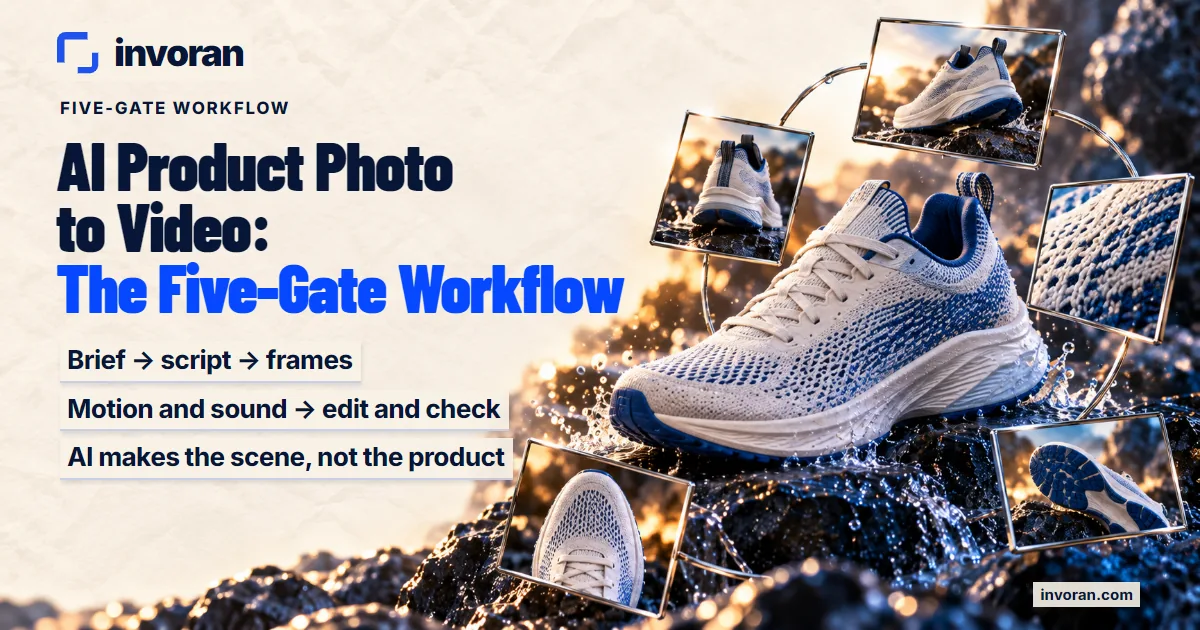
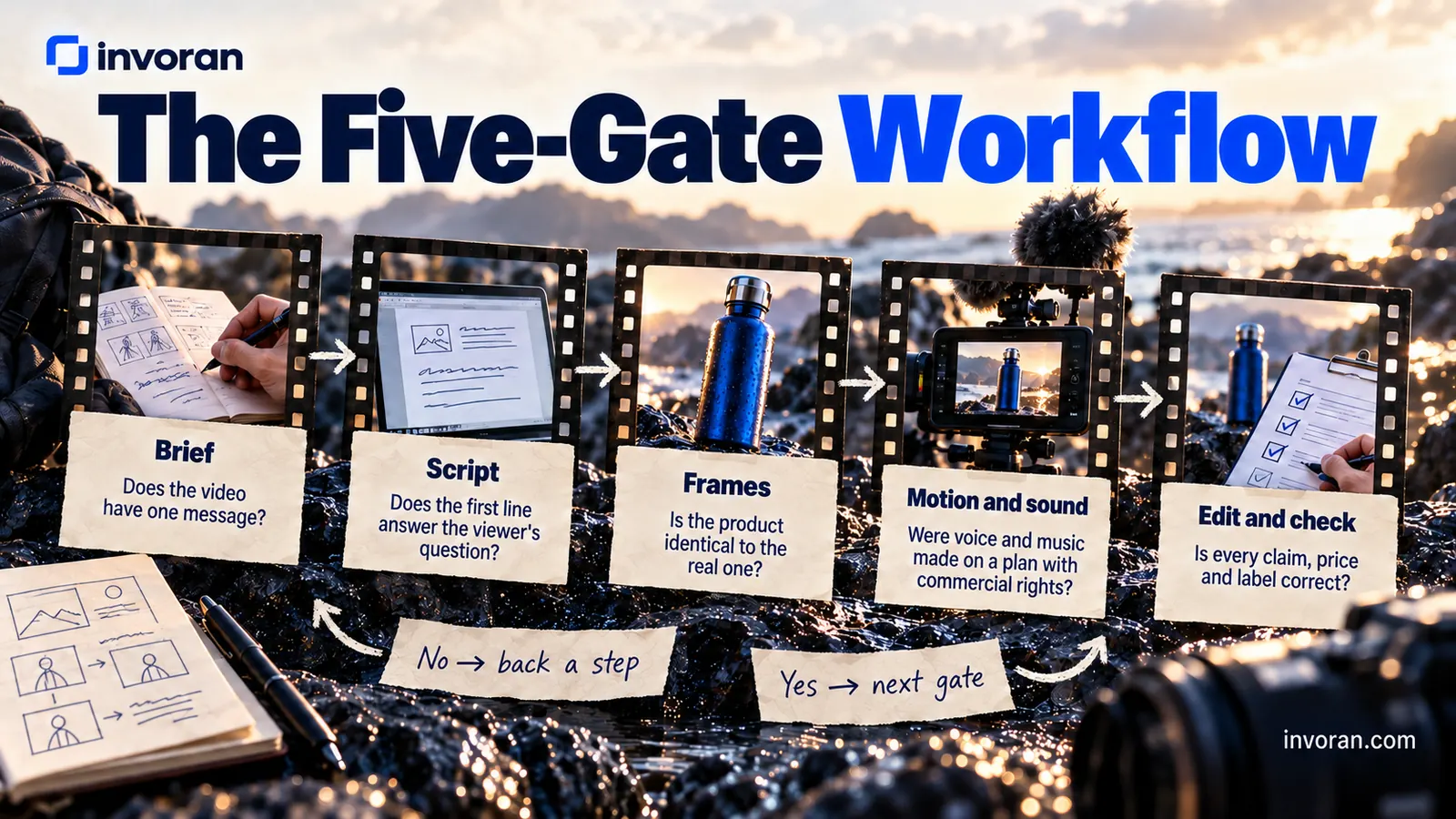
My answer is what I call the Five-Gate Workflow: brief → script → frames → motion and sound → edit and check. Each step ends with one gate question, and nothing moves on until a person answers "yes". The rule behind all five: AI makes the scene, not the product. The logo, label, color and shape come from your photo and are checked against it in every frame. The cost is the sum of tool plans, generation credits, ad spend and the review time people forget to budget.
In short:
- Test the tool first: one real photo with a readable label shows whether a generator keeps your product.
- Five gates, in order: a failed check sends you back a step.
- Free plans don't belong in ads: the free plans of the voice and music tools I use carry no commercial rights.
- Realistic AI may need a label: the EU's deepfake definition covers objects, not just people.
Which AI tool turns a product photo into a video, and is one tool enough?
Search for this and almost every result is an image-to-video generator: upload, pick a style, export. If you only need a photo to move, one of them will do. This guide is for when that clip has to become an AI product commercial video, and the generator is one of five steps.
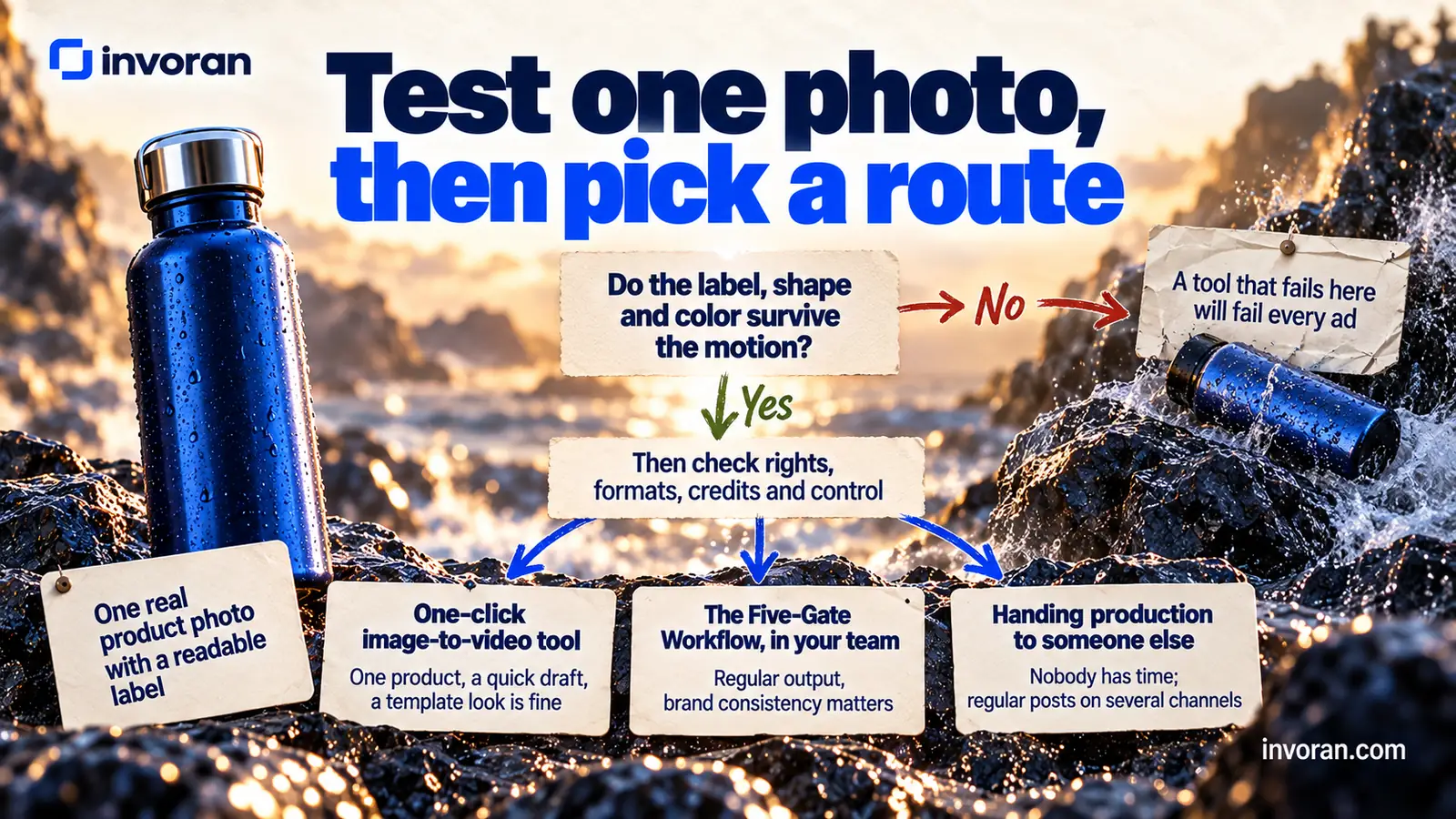
Before you pay for any generator, run a one-photo test. Upload a real product photo with a readable label, ask for a short clip with a slow camera move, and check:
- [ ] Product: do the label, shape and color survive the motion?
- [ ] Rights: does the plan you'd pay for allow commercial use, and does the free tier add a watermark?
- [ ] Formats: can it export vertical and square versions?
- [ ] Credits: what does one attempt cost, counting the ones you'll discard?
- [ ] Control: can you keep the camera move small and reuse the same starting frame?
A tool that fails the first line will fail every ad you make with it. Once one passes, choose your route:
| Route | Good fit when | What you still have to check |
|---|---|---|
| One-click image-to-video tool | One product, a quick draft, a template look is fine | The one-photo test, then message, audio and labels yourself |
| The Five-Gate Workflow, in your team | Regular output, several openings per product, brand consistency matters | Each gate question, and who on the team owns review time |
| Handing production to someone else | Nobody has time, and you need regular posts on several channels | Scope, videos per month, and whether tools and ad spend are included |
If a real person's experience is the point of the ad, this isn't the right format: testimonial-style video is a different job, covered in my guide to AI UGC ads.
How do you make an AI product video? The Five-Gate Workflow
The tools are mine and interchangeable (see how to use AI in marketing for alternatives); the gate questions don't change.
| Gate | Input | Tools I use | Output | Gate question |
|---|---|---|---|---|
| 1. Brief | Product facts, buyer, offer | Claude | One-page brief | Does the video have one message? |
| 2. Script | The brief | Claude | Three openings, scene list, voiceover text | Does the first line answer the viewer's question? |
| 3. Frames | Real product photos | Google Flow, Nano Banana | Scene frames | Is the product identical to the real one? |
| 4. Motion and sound | Frames, script | Higgsfield, ElevenLabs, Suno | Video clips, voiceover, music | Were voice and music made on a plan with commercial rights? |
| 5. Edit and check | Clips, audio, subtitles | Claude (editing, subtitles and assembly) | One file per channel | Is every claim, price and label correct? |
Gate 1: What goes into a brief for an AI product commercial video?
The brief tells the AI what to make and what counts as true; gaps come back later as corrections. One page is enough:
- Buyer: who watches, and what problem they have right now.
- One message: the single sentence the viewer should remember.
- Offer: price, terms and end date. Only what's confirmed.
- Product facts: materials, size, use, delivery, taken from the product page or the manufacturer.
- Off-limits: unsupported claims, "best", "first", health or results promises.
- Channels and format: where it runs, vertical or square, sound on or captions first.
- Next step: the one action you want: visit the page, send a message, add to cart.
When I hand the brief to Claude, I add one line: "Don't add any product fact, number or result that isn't in this brief." Language models tend to fill gaps confidently, and that line stops errors early. My AI prompt template guide has more instructions like it.
Gate 2: How do you script the first seconds of a product ad?
In a short AI ad video, the first line decides whether anyone hears the second. I build every script in four parts:
- Opening: one sentence that names the viewer's question or a concrete contradiction.
- Product: the product as it really is, doing what it does.
- One proof: a verified fact from the brief, such as a material, a size or a delivery time.
- Next step: the single action from the brief.
For each video I ask Claude for three openings: a question, a contradiction and a direct benefit. The body stays the same, so one production round gives three versions that can compete in an ad set. Only a test shows which wins; I don't guarantee it.
Why a question? On Pratik10's Instagram, one of the brands I work with, the four most-viewed posts drew 2.1K, 2.1K, 940 and 584 views, and all four open with a question (account data, October 2026). That's one account's organic posts, not ads: a reason to test, not a rule.
Representative example (not a client result): a ceramic pour-over coffee dripper. Openings: "Why does the same coffee taste different every morning?" (question), "You bought good beans. Why is the cup still bitter?" (contradiction), "One dripper, one cup, the same taste every time." (benefit). The dripper stays real in every scene, and the proof is the material from its product page.
Gate 3: How do you keep the product real when AI builds the scene?
The most common mistake is letting the AI redraw the product. Customers expect the item in the ad to be the item in the box, so frames start from real photos and the AI handles everything around the product: sharp, unfiltered shots of the front, the side and the product in use, with a readable label and logo.
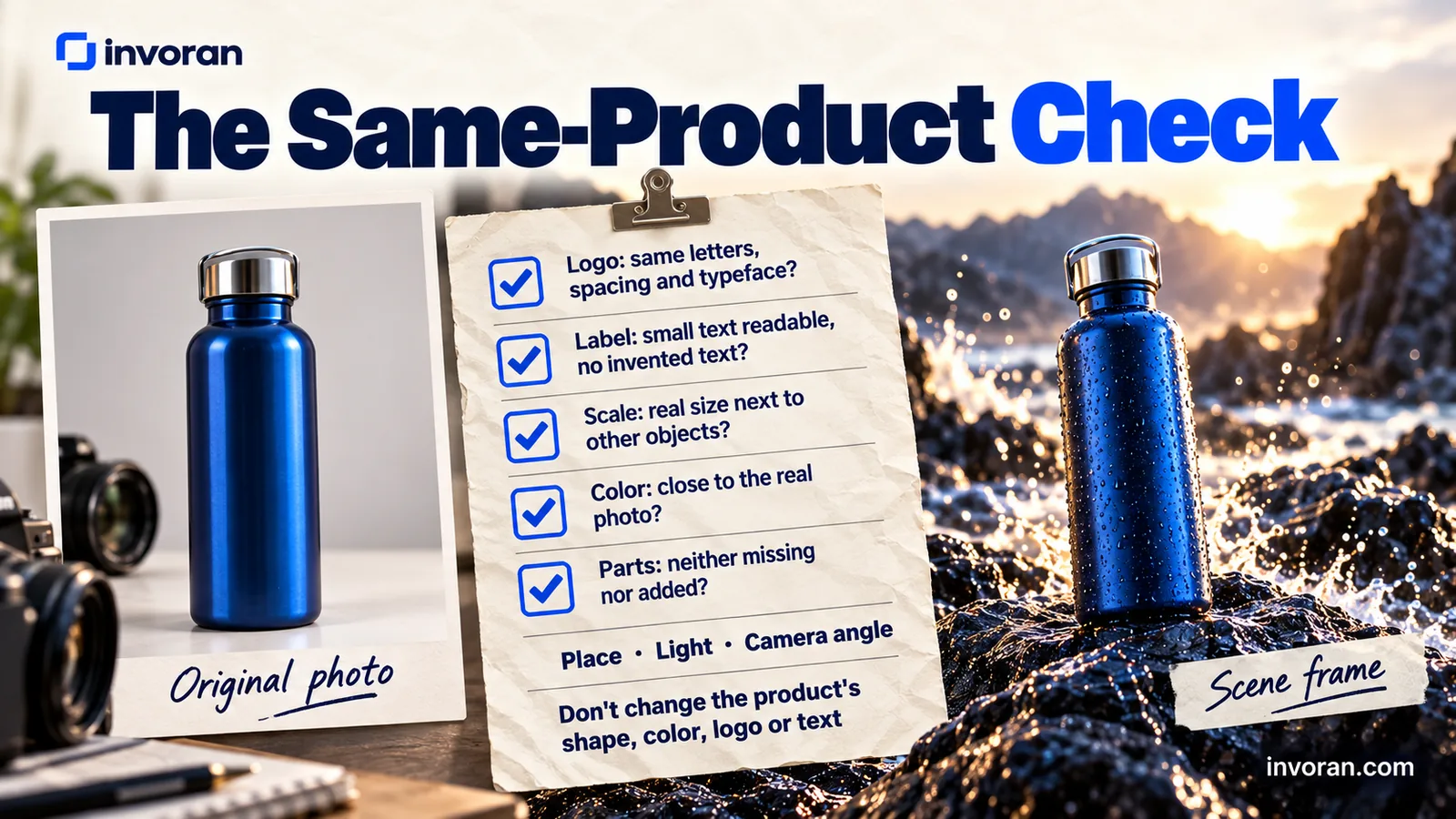
I use Google Flow and Nano Banana to place that photo in a scene: a kitchen counter, a desk, an open bag. Nano Banana, free in the Gemini app, can change the background of an existing photo, which is exactly this job. The prompt describes place, light and camera angle separately, plus a fixed rule: don't change the product's shape, color, logo or text.
Then every frame goes next to the original photo. I call this the Same-Product Check:
- [ ] Logo: same letters, spacing and typeface?
- [ ] Label: small text still readable, with no invented text?
- [ ] Scale: the product is its real size next to other objects?
- [ ] Color: close to the real photo, even under new lighting?
- [ ] Parts: lids, buttons and accessories neither missing nor added?
A broken frame is cheap to drop now and expensive to fix once it moves.
Google's Merchant Center image rules for product listings point the same way. The primary image must "clearly display the exact item being sold", images created with generative AI must carry metadata showing it, and tags such as IPTC DigitalSourceType must stay in place. Google even offers Product Studio to generate custom scenes. The scene can be new; the product can't.
Gates 4 and 5: How do you add motion and sound, then edit and check?
I turn frames into short clips with Higgsfield. Small movements are safer: a slow push-in, a hand lifting the product, a lid opening. Big movements can warp the product, so each clip's first and last frame go through the Same-Product Check too.
Sound has two parts:
- Voiceover: I use ElevenLabs. Listen to every line, especially the brand name and technical terms. Clone a voice only with its owner's written permission.
- Music: I use Suno for short tracks. The music sits under the voice; viewers have to hear the words.
Make the final audio on a plan with commercial rights; the free plans of both carry none (see the cost table).
For gate 5, I do the editing, subtitles and assembly with Claude. Claude doesn't generate photos or video; it plans the cut: scene order, how long each scene stays on screen, where each subtitle line breaks. Then Claude Code, which is included in Claude Pro and can edit files and run commands, does the assembly. It uses a command-line tool such as FFmpeg, a cross-platform tool for recording, converting and streaming audio and video, to cut and join the clips, add the voice and music, and export one file per channel. Claude Code asks permission before it runs a command, and I check every output. More in my guide to Claude AI for marketing.
YouTube treats a square or vertical video up to three minutes long as a Short, so one vertical master serves Shorts as well as Reels and TikTok.
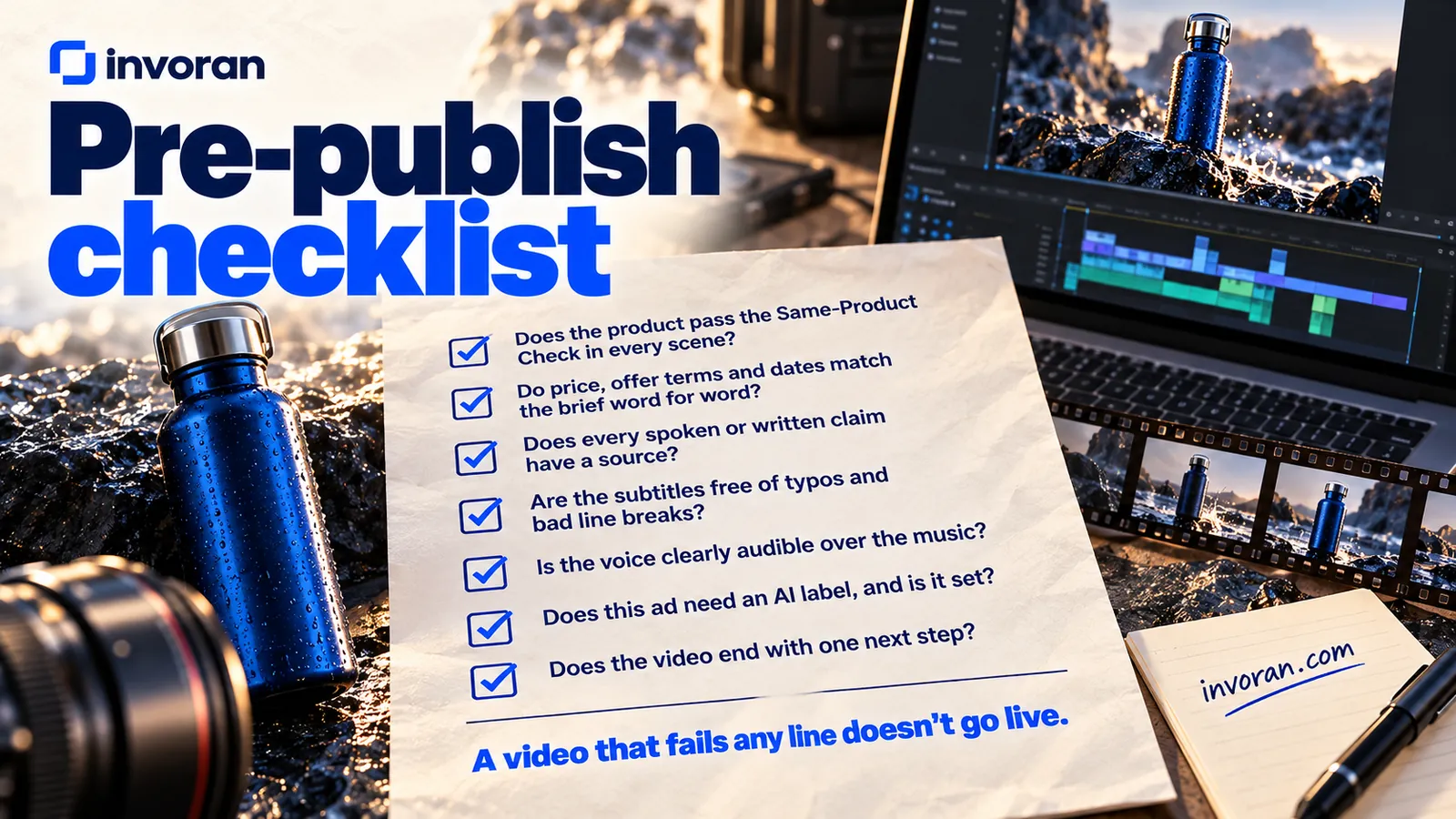
Pre-publish checklist
- Does the product pass the Same-Product Check in every scene?
- Do price, offer terms and dates match the brief word for word?
- Does every spoken or written claim have a source?
- Are the subtitles free of typos, bad line breaks and unreadable words?
- Is the voice clearly audible over the music?
- Does this ad need an AI label or platform disclosure, and is it set?
- Does the video end with one next step?
A video that fails any line doesn't go live.
What does an AI product video cost?
These plans were verified on the vendors' own pages on October 14, 2026; prices exclude tax and depend on the billing period.
| Cost item | What you pay for | Example plan (as of October 14, 2026) | Watch out for |
|---|---|---|---|
| Text assistant | Brief, script, subtitles, edit plan | Claude Pro: $20/month billed monthly, $17/month billed annually | No photo or video generation |
| Scene frames and video | Frames and motion | Higgsfield works on credits; I'm not quoting a price I couldn't confirm on its page | Budget for attempts you'll discard, not just clips you keep |
| Voiceover | Narration | ElevenLabs Starter: $6/month billed monthly (list price; a first-month discount was running on October 14, 2026), commercial license included | Free plan has no commercial license |
| Music | Background track | Suno Pro: $8/month billed yearly, commercial use included | Free plan has no commercial rights |
| Ad spend | Paid distribution | Set by you | Separate from production |
| People's time | Brief, review, fixes, approval | Your team's hours | The line budgets forget |
The last line matters most: subscriptions are visible, but briefing, checking and fixing aren't. In-house, decide up front who reviews and for how many hours a week. Handing production over, the third route in the first table, is how my AI content and video service works.
What rules apply to AI product videos in the US, UK and EU?
Making product ads with AI is allowed; existing advertising rules still apply, plus a few AI-specific ones:
- US, truthfulness: announcing Operation AI Comply on September 25, 2024, the FTC's then-chair said using AI tools to trick, mislead or defraud people is illegal and that there's no AI exemption from the laws on the books.
- US, synthetic performers: if a realistic AI person appears, New York's Senate Bill S8420A (signed December 11, 2025, in effect 180 days later) requires a conspicuous disclosure in the ad; fines are $1,000 for a first violation and $5,000 for later ones.
- UK: the ASA wrote in May 2025 that the advertising Codes have no AI-specific rules and there's no blanket legal requirement to disclose AI use, but that a disclosure alone is very unlikely to fix a misleading message. Its example fits product ads: an AI image showing a cosmetic effect the product doesn't deliver.
- EU: Article 50 of the AI Act applies from August 2, 2026. A deepfake is AI-generated or manipulated content that resembles existing persons, objects, places, entities or events and would falsely appear authentic. Note the word "objects". Deployers (the Commission's FAQ gives an advertising company as an example) must disclose deepfakes clearly at first exposure at the latest.
- Platforms: Meta labels ads made or significantly edited with its own generative AI tools and has begun detecting ads made with third-party AI tools through industry-standard signals. TikTok Ads Manager has a "This ad contains AI-generated content" toggle for non-Spark ads fully generated or significantly modified by AI. YouTube requires disclosure of realistic synthetic content, and Google Ads began rolling out an AI label setting for image and video ads in July 2026.
My practical rule: if the scene is realistic and a viewer could take it for filmed footage, I plan a disclosure. The full country-by-country picture is in my guide to AI disclosure laws.
Frequently asked questions
Can AI turn a product photo into a video ad?
Yes, AI can turn a product photo into a short video ad, but a usable ad needs more than motion. You also need a brief, a strong opening, a voiceover and music licensed for commercial use, subtitles and a check that every frame matches the real product.
Is AI product photo to video free?
Starting can be free, but advertising usually needs paid plans. Free tiers are fine for testing ideas. The free plans of ElevenLabs and Suno, which I use for voice and music, carry no commercial rights. Check the plan behind every piece before it goes into an ad.
Will AI change how my product looks?
It can, which is why the real photo stays the reference. Models sometimes alter logos, small label text, proportions, colors or parts. Tell the tool not to change the product, keep camera movements small, and compare every frame with the original photo before editing.
Do I need professional product photos to start?
No, sharp phone photos are usually enough to start. Shoot in daylight against a plain background, with separate shots of the front, the side and the product in use. Keep the label and logo readable and skip filters, because every AI frame will be checked against these photos.
Do AI product videos need an AI label?
Sometimes, depending on the market and the platform. The EU AI Act requires clear disclosure of deepfakes, which can include realistic depictions of objects, from August 2, 2026. Meta, TikTok and YouTube have their own AI labels. In the UK there's no blanket rule, but a label won't fix a misleading ad.
Which AI tool should I use to turn a product photo into a video?
Use the one that passes a one-photo test on your own product. Upload a photo with a readable label and check that the label survives the motion, your plan allows commercial use and it exports vertical and square versions. I use Higgsfield for motion, after Google Flow and Nano Banana frames.
Conclusion: Brief first, tools second
AI product photo to video works when the photo stays the source of truth. Test the tool with one photo, run every ad through the five gates, and decide on the label before you publish. Tools change every few months; the gate questions don't.
Send me a message on WhatsApp; the first 15 minutes are free.
Sources (accessed October 14, 2026)
- Claude Code, Claude pricing, Claude Help — images and FFmpeg
- Google Merchant Center — Image requirements, YouTube — Shorts length, Gemini — Nano Banana
- European Commission — Article 50 AI Act transparency FAQ (updated July 24, 2026)
- FTC — Operation AI Comply (September 25, 2024)
- ASA — Disclosure of AI in advertising (May 29, 2025)
- New York State Senate — Bill S8420A
- Meta Newsroom — Gen AI transparency in ads and Meta Business Help
- TikTok Ads Help — Add disclaimers to ads
- YouTube Help — Disclosing altered or synthetic content and Google Ads — AI labeling update (July 9, 2026)
- Pricing pages: ElevenLabs and ElevenLabs Help — commercial use, Suno, Higgsfield
- Pratik10 Instagram account data, October 2026 (internal).