Last updated: October 14, 2026
An AI prompt template is a reusable request with a fixed structure and blanks you fill in each time, so ChatGPT, Claude or any other assistant gets the same kinds of information on every run. The template that works for most marketing jobs has four lines: who will read the output, what to produce from which facts, why it exists (the one thing the reader should do next), and how to check the result. Leave a line out and the model fills the gap with a guess.
Writing all four lines is the deepest of three depths. A one-line request names only the task, a context request adds the reader, purpose and real facts, and a criteria request adds the rules the output has to pass. The deeper the request, the less the model guesses and the less you fix. Below: the base template to copy, one email at all three depths, and five ready-to-fill marketing templates.
In short:
- Information beats phrasing. Facts make a template work, not a clever role line.
- Three depths. One line for ideas, context for a first draft, criteria for anything a customer reads.
- Four lines. Who, what, why, how to check. Every blank you skip becomes a guess.
What is an AI prompt template, and what does the base version look like?
An AI prompt template splits a request into parts that stay the same (structure, rules, the check) and parts that change (reader, facts, goal), marked with brackets such as [product]. A saved prompt is one request reused word for word: it describes one product, while a template works for every product, because whoever fills it in supplies the facts.
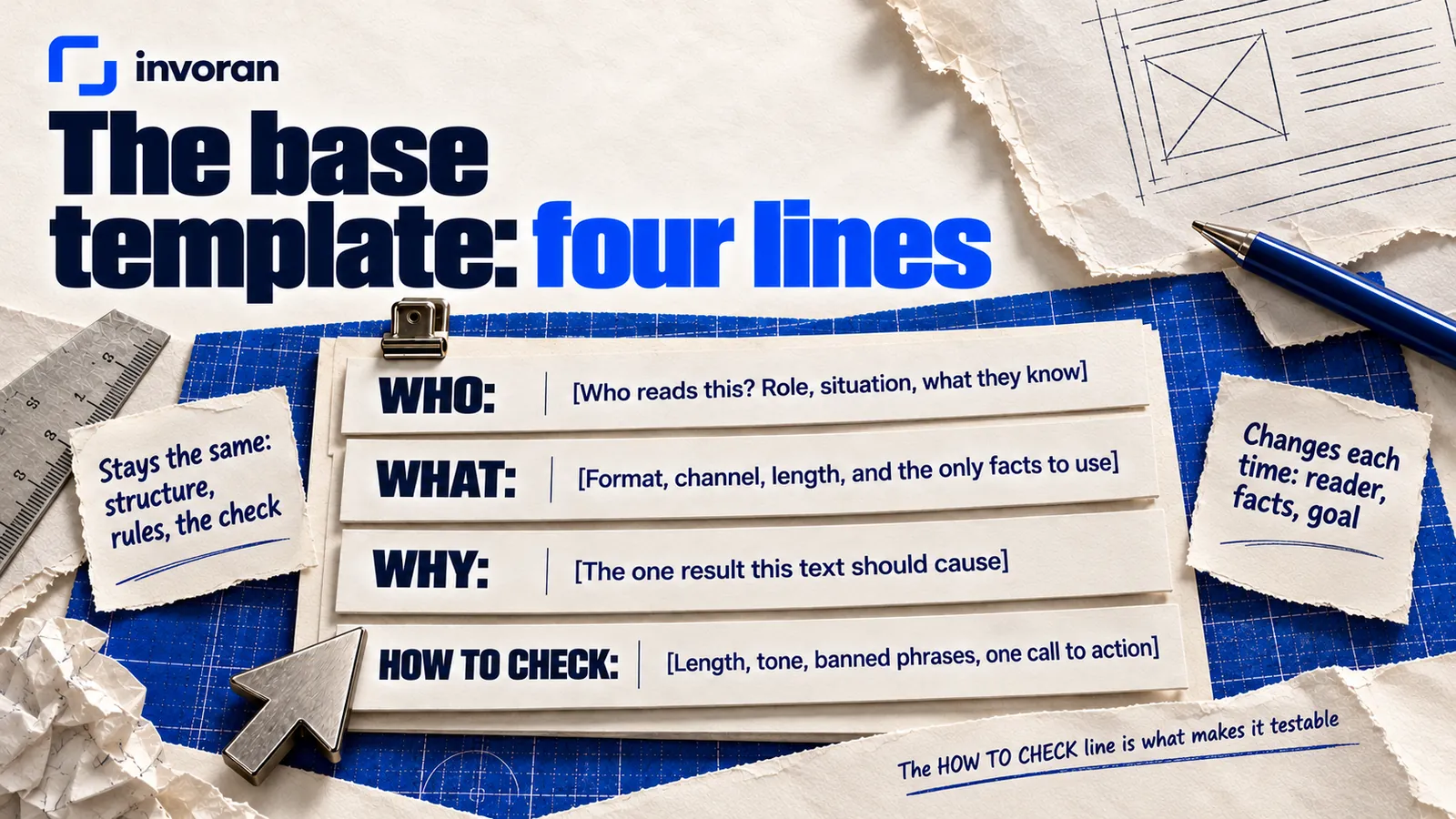
Here is the base template to copy:
WHO: [Who reads this? Role, situation, what they know and don't.]

WHAT: [What to produce: format, channel, length, and the only
facts to use. Add: "Use only these facts."]

WHY: [The one result this text should cause. What should the
reader do next?]

HOW TO CHECK: [Length, tone, banned phrases, one call to action.
Ask the model to test its draft and list anything that fails.]
Many template formulas stop at role, task, context and format: they say what to produce, not how to judge it. The HOW TO CHECK line is what makes this one testable.
Anthropic suggests treating the model as a brilliant but new employee who lacks context on your norms and workflows, with a golden rule: show your prompt to a colleague with minimal context on the task and ask them to follow it. If they'd be confused, the model will be too. A good template is that test turned into a form.
What are the three depths of a prompt?
The three depths are three ways to write the same task, each adding information to the one before.
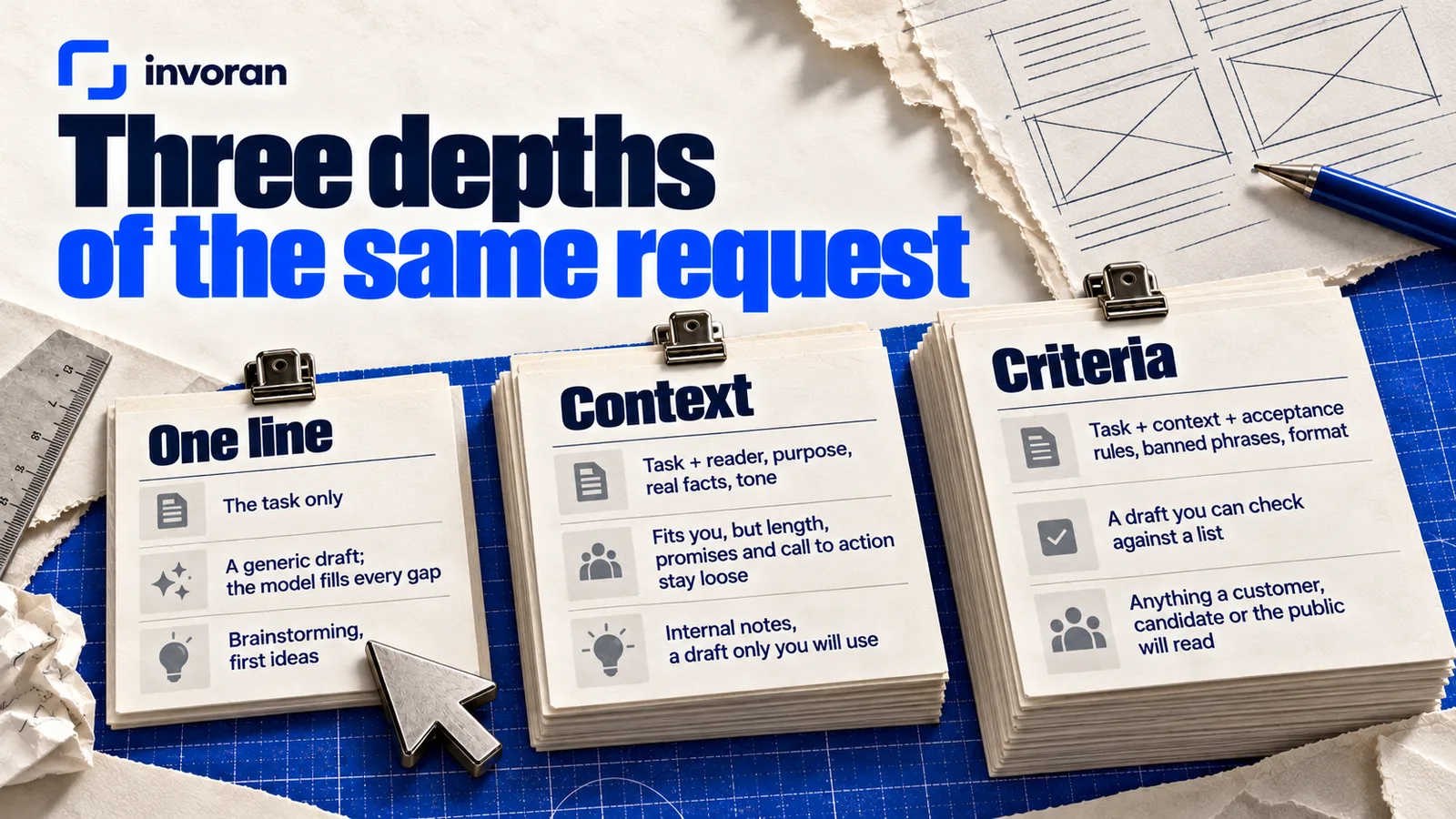
| Depth | What you give | What you get back | When it's enough |
|---|---|---|---|
| One line | The task only | A generic draft; the model fills every gap | Brainstorming, first ideas |
| Context | Task + reader, purpose, real facts, tone | A draft that fits you, but length, promises and the call to action stay loose | Internal notes, a draft only you will use |
| Criteria | Task + context + acceptance rules, banned phrases, format | A draft you can check against a list, with gaps flagged | Anything a customer, candidate or the public will read |
My worked example is a follow-up email after a discovery call. The scenario (a three-person marketing team at a B2B software company) is representative; the terms are real, from my own training offer (October 2026).
Depth one: why does a one-line request fall short?
Write a proposal email for an AI training for a team.
If AI copy sounds generic to you, this is usually why. The model fills every unknown with something plausible: invented hours, promises like "boost your team's productivity," three calls to action.
Depth two: what does context add?
Task: Follow-up email after a discovery call about team training.

Who: [Name], marketing manager at a B2B software company, team of
three. Product pages and customer emails take most of their time.

Why: Summarize the call. One next step: choosing a schedule.

Facts (use only these):
- Hands-on training, 8 hours in total, for one to four people.
- Modules: defining the need; developing copy and ideas;
  image and video production; web and marketing applications.
- Exercises come from their own product pages and emails.
- Schedule: two intensive days, or sessions over several weeks.
- Format: online.
- Price and payment terms: in the attached written quote.

Tone: Plain, respectful, direct.
Now the facts are fixed, and "use only these" curbs invention. The Why line matters: Anthropic notes that explaining the reason behind an instruction can help the model give a more targeted response, and OpenAI's guide says to put data the model wasn't trained on into the request. Without criteria, though, the model still decides what "good" means.
Depth three: how do criteria change the output?
Add this under the depth-two request:
Acceptance criteria:
- 150 words maximum, including the subject line.
- One call to action: pick one of the two schedule options.
- Add no facts, numbers or outcomes that aren't listed above.
- No "guarantee," no "proven results," no productivity percentages.
- Do not write any price; refer to the attached quote.

Check: Test the draft against each criterion.
List anything that fails below the draft.
Criteria tie the model's idea of "good" to yours, and the self-check shows what's missing. Note the price line: a model that never types a number can't type a wrong one. A draft that meets the criteria could read:
Subject: AI training for your team: program and two schedule options
Hi [Name],
On our call you mentioned that product pages and customer emails take most of your team's week. I suggest building the training around those two jobs.
- Length and group: 8 hours in total, for your team of three.
- Modules: defining the need; developing copy and ideas; image and video production; web and marketing applications.
- Exercises: your own product pages and emails.
- Format: online.
Price and payment terms are in the attached quote. Which schedule suits you better: two intensive days, or sessions over a few weeks?
Emre
I edited this example myself; it isn't a logged model run. Before sending, I check the terms, the name and any promise I didn't make.
Does depth really make a difference? Measure it on your own work
Run all three depths on a text you'll send this week, twice each in the same tool, since outputs vary between runs. For every draft, count:
| Depth | Invented facts | Calls to action | Sentences you had to fix |
|---|---|---|---|
| One line | |||
| Context | |||
| Criteria |
Where criteria don't save time, stay at one line.
How do you build an AI prompt template: who, what, why, how to check?
Strip the follow-up email down and the base template's four lines remain. Fill WHAT first, because the facts decide everything else; write HOW TO CHECK last, from the fixes you keep making.
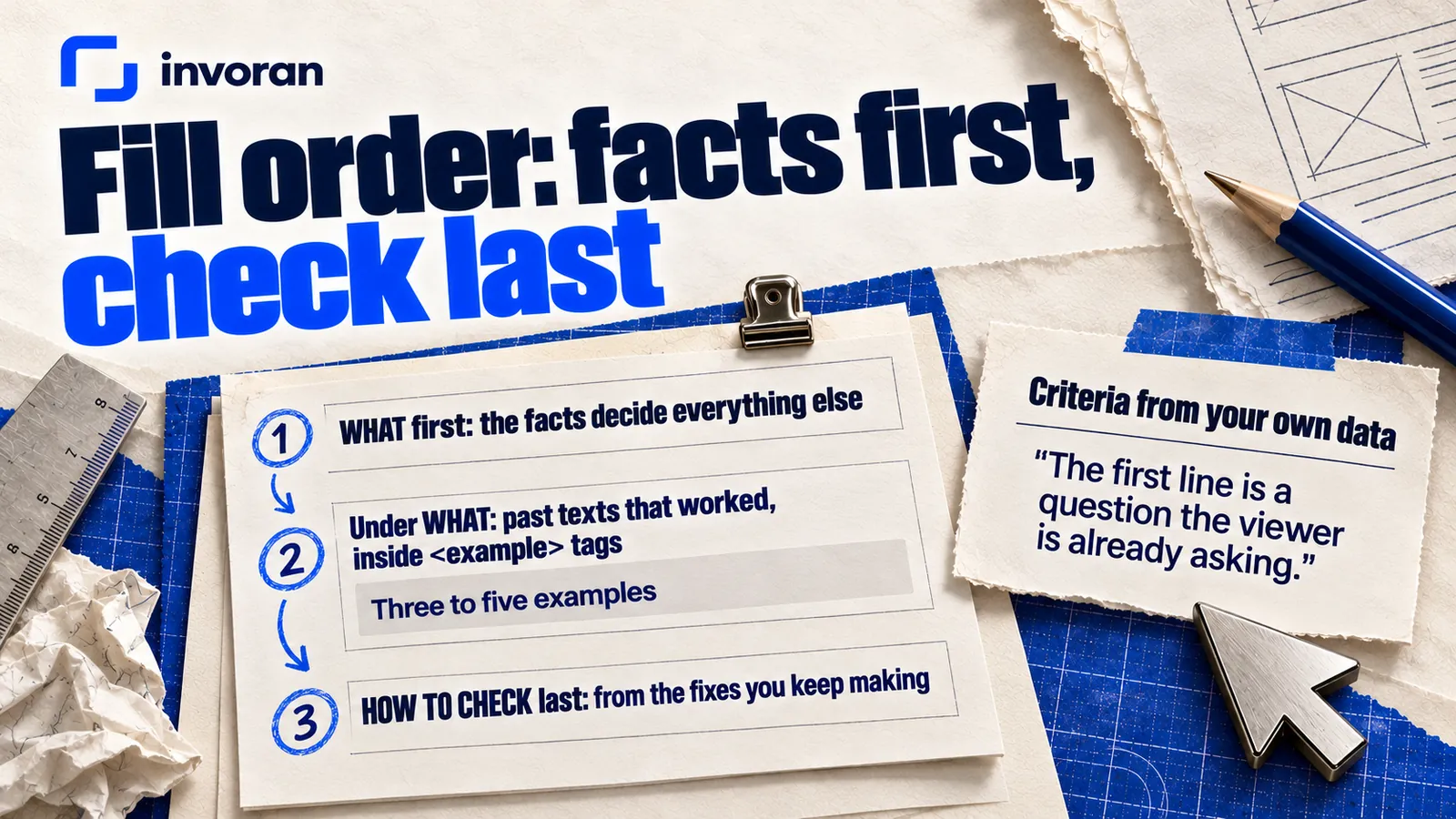
Examples make it stronger. Anthropic calls them one of the most reliable ways to steer format, tone and structure, suggests three to five wrapped in <example> tags, and says XML tags help Claude separate instructions, context, examples and variable inputs; OpenAI's guide covers the same few-shot approach. Paste past texts that worked under WHAT, inside tags.
Criteria can come from your own data. At Pratik10, one of the brands I work with, the four most-viewed Instagram posts drew 2.1K, 2.1K, 940 and 584 views, and all four open with a question (account data, October 2026). Four posts don't prove that questions drive views, but they justify one criterion in that account's script template: "The first line is a question the viewer is already asking."
What are good prompt template examples for marketing?
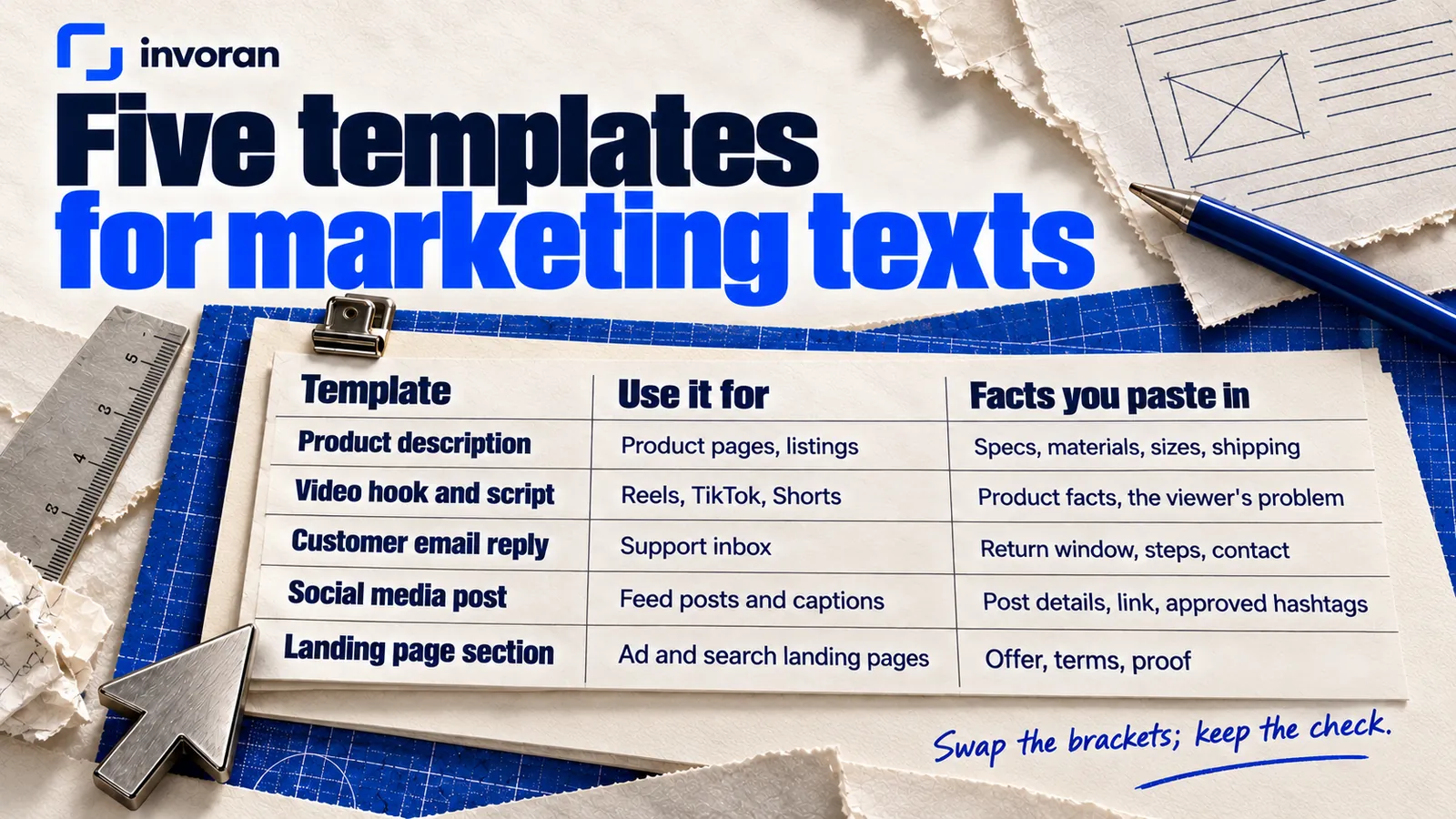
Here are five templates for texts marketing teams write often. Swap the brackets; keep the check.
| Template | Use it for | Facts you paste in |
|---|---|---|
| 1. Product description | Product pages, listings | Specs, materials, sizes, shipping |
| 2. Video hook and script | Reels, TikTok, Shorts | Product facts, the viewer's problem |
| 3. Customer email reply | Support inbox | Return window, steps, contact |
| 4. Social media post | Feed posts and captions | Post details, link, approved hashtags |
| 5. Landing page section | Ad and search landing pages | Offer, terms, proof you can show |
1. Product description
WHO: Shoppers comparing [product] with alternatives on [channel].
WHAT: A [length]-word description from these facts: [specs,
materials, sizes, shipping]. Use only these facts.
WHY: The reader adds the product to the cart.
HOW TO CHECK: No feature missing from the facts list. No "best."
List each claim with the fact it uses.
2. Short video hook and script
WHO: [Audience] on [platform] who already know [problem].
WHAT: Five opening lines and one 30-second script about [topic].
Facts: [product facts]. Use only these facts.
WHY: The viewer watches to the end and visits [page].
HOW TO CHECK: Each opening is a question or a concrete contrast,
under twelve words. No statistics, no promised results.
3. Reply to a customer email
WHO: A customer who wrote: [message, names and contacts removed].
WHAT: A reply under [length] words. Policy facts: [return window,
steps, contact]. Use only these facts.
WHY: The customer knows the next step and takes it.
HOW TO CHECK: Answers every question. Promises nothing outside
the policy. Flag anything uncertain.
4. Social media post
WHO: Followers of [account] on [platform] who know [topic].
WHAT: One post under [length] words about [post subject].
Facts: [details, link]. Use only these facts.
WHY: The reader saves the post or opens [link].
HOW TO CHECK: The first line works on its own. One call to
action. Hashtags only from this list: [hashtags].
5. Landing page section
WHO: Visitors arriving from [ad or search query] who want
[outcome].
WHAT: A headline, a [length]-word paragraph and three bullets
for [offer]. Facts: [features, terms, proof]. Use only these facts.
WHY: The visitor clicks [button].
HOW TO CHECK: The headline answers the visitor's question. No
"best," no "guaranteed." List each claim with the fact it uses.
More by job: turning a product photo into an AI video, Claude AI for marketing, how to use AI in marketing and AI automation examples.
How do you write better prompts? Six mistakes to fix first
When I work with teams, the same six mistakes come up; most trace back to a missing line in the template:
- Trusting the role line. "You are an experienced marketer" can set the tone but teaches nothing about your product.
- Leaving out the real facts. If prices, dates or features aren't in the request, the model makes them up.
- Several jobs in one request. An email, a post and slide text together are hard to check. Split them.
- No criteria. "Make it better" isn't a criterion. "150 words maximum, one call to action" is.
- Getting lost in a long chat. After ten corrections, fold the fixes into the template and start a new chat.
- Pasting personal data. Use placeholders like [Name] and generalize identifying details.
Check the tool's data settings too. In ChatGPT, with "Improve the model for everyone" off, new conversations aren't used for training, and Business, Enterprise and Edu workspace content isn't used by default. Claude's consumer plans use chats to improve the models if you allow it (or when flagged for safety review or sent as feedback); Incognito chats are not used.
Do prompt templates for ChatGPT work in Claude and Gemini?
Yes, the four lines work in Claude, Gemini or any other assistant, but drafts differ across tools and even between runs. Anthropic's glossary notes that even with temperature set to 0, results are not fully deterministic. So run the depth-three request in each tool a few times, mark every draft against your criteria, and pick the tool job by job. I do the editing, subtitles and assembly of my videos with Claude; whichever tool drafts a text, the check stays the same.
Where to keep templates:
- ChatGPT custom instructions apply to all your chats on every plan; Free and Go users can save up to 1,500 characters, Plus, Pro, Business, Enterprise and Edu users up to 5,000 (checked October 14, 2026). Use them for fixed parts like tone and banned phrases.
- Claude Projects keep instructions and reference files together. Free users can create up to five; sharing a project needs a Team or Enterprise plan.
- A shared document works with any tool, one page per template.
How do you turn prompt templates into a team habit?
Working alone, the provider guides and the measuring table are often enough; AI marketing consultant vs. agency vs. course weighs outside help. For a team, the habit matters more than any template:
- [ ] Build one template for each of the five texts your team writes most.
- [ ] Give every template an owner and a "last checked" date.
- [ ] Once a month, run the measuring table on one template and update its criteria.
- [ ] Keep a list of what never goes into a prompt: customer names, contact details, unreleased prices.
- [ ] Name who reads each template's output before it's sent.
I lay out a team plan in how to build an AI upskilling program and weigh certificates in is AI certification worth it.
Templates stick when a team builds them from its own texts rather than a downloaded list. In my hands-on AI training, exercises are built on your own business, and the first module is defining the need, the skill every template above depends on. It runs online, 8 hours in total for one to four people, over two intensive days or several weeks, with tools chosen for your work, such as ChatGPT, Claude and Higgsfield. There's no certificate and no guaranteed outcome: templates last only if the team uses them every week.
Frequently asked questions
What is an AI prompt template?
An AI prompt template is a reusable request with a fixed structure and bracketed blanks you fill in each time. The fixed parts hold the format, rules and check; the blanks hold the reader, facts and goal. Every run gets the same kinds of information, so the model has less to guess.
What should a good prompt include?
A good prompt includes four things: who will read the output, what to produce from which facts, why it exists, and how to check it. The check is the part most people skip. Without acceptance criteria such as length, banned phrases and a single call to action, the model decides what "good" means.
Do prompt templates work the same in ChatGPT and Claude?
The structure works the same; the drafts don't. A four-line template works in ChatGPT, Claude and Gemini, but it gives different drafts in each tool, and even across runs in one tool. Run it a few times in each, mark every draft against your criteria, and choose the tool job by job.
Should I give the AI a role in my prompt?
A role is optional. A line like "You are an experienced editor" can steer tone and point of view, as Anthropic's guide notes, but it won't teach the model your product, prices or reader. Write the who, what, why and how-to-check lines first, then add a role if the tone still needs it.
Can I put customer information in a prompt?
Leave out anything that identifies a person unless the task truly needs it and your settings fit. Replace names with placeholders, generalize details, and check whether your plan uses chats for model training. OpenAI doesn't use ChatGPT Business, Enterprise or Edu workspace content by default; on consumer plans, it depends on your settings.
How long should an AI prompt template be?
An AI prompt template should be as long as its facts and criteria require, and no longer. A brainstorming template can be a single line; a customer-facing one usually needs a few lines under each of the four headings. If removing a line doesn't change the output, cut it.
The bottom line: a good prompt is one you can check
One line gives you ideas, context gives you a draft that fits, and criteria give you a text you can check. Write who, what, why and how to check, keep personal data out, and leave the final read to a person.
Send me a message on WhatsApp; the first 15 minutes are free.
Sources (accessed October 14, 2026)
- Anthropic — Prompting best practices
- Anthropic — Glossary: Temperature
- OpenAI — Prompt engineering (API guide)
- OpenAI Help Center — ChatGPT Custom Instructions
- OpenAI Help Center — Data Controls FAQ
- Claude Help Center — What are projects?
- Claude Privacy Center — Is my data used for model training?
- Invoran — AI training
- Pratik10 Instagram account data, October 2026 (internal).